How to Test KSeF in Odoo?
Odoo S.A. is actively working on the integration with KSeF, and the progress is moving fast. The feature is already available for testing and improves day by day. In this article, I will show you the current status of the implementation and how you can test it yourself.
How to test?
There is no official release of the KSeF integration yet, but we can already try the existing functionality.
To do this, use the testing environment provided by Odoo:
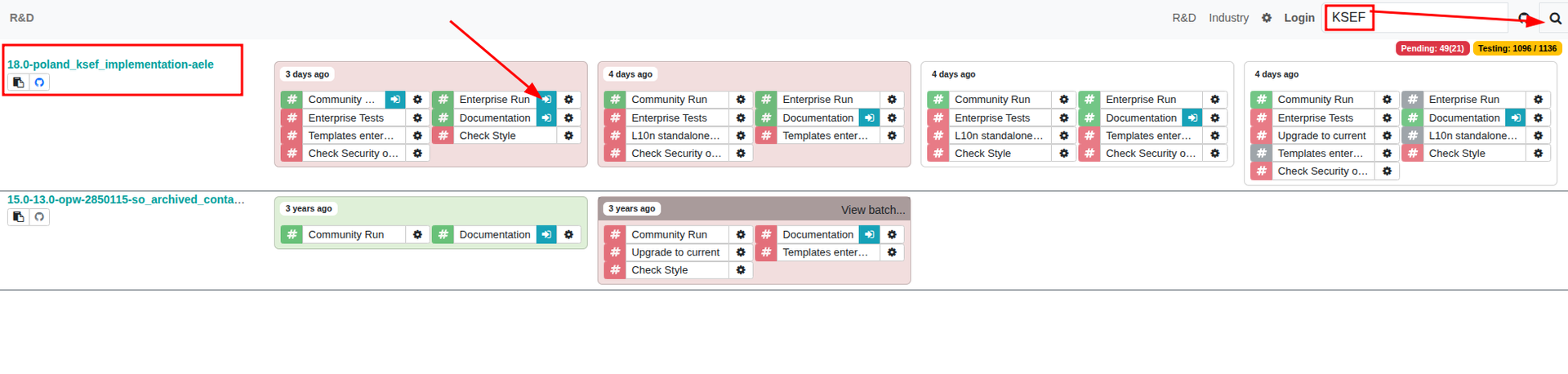
- Go to https://runbot.odoo.com
- In the search bar, type KSEF
-
Find the branch named
18.0-poland_ksef_implementation-aele - Click the Enterprise button next to it to open the instance with the KSeF feature
- Login using admin credentials
login: admin
pass: admin
Install Polish E-Invoicing
Once inside the instance, make sure the module Polish E-Invoicing FA(3) is installed.
If not, install it from the Apps application.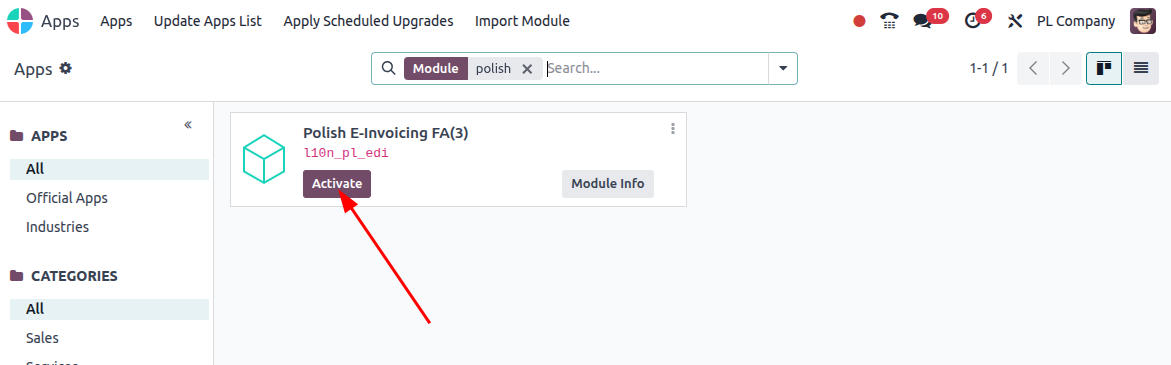
Enable Polish Company
To test the integration, ensure that your company in Odoo is set as PL Company.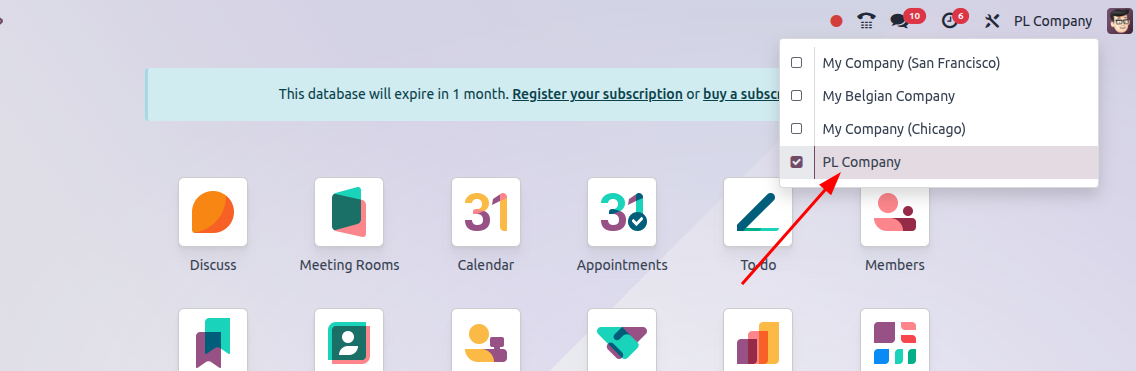
Authenticate Your Company
The last step before sending invoices is authentication.
You can use your own credentials or the test credentials below.
Test Credentials
NIP: PL1111111111 - set this as a VAT of PL Company
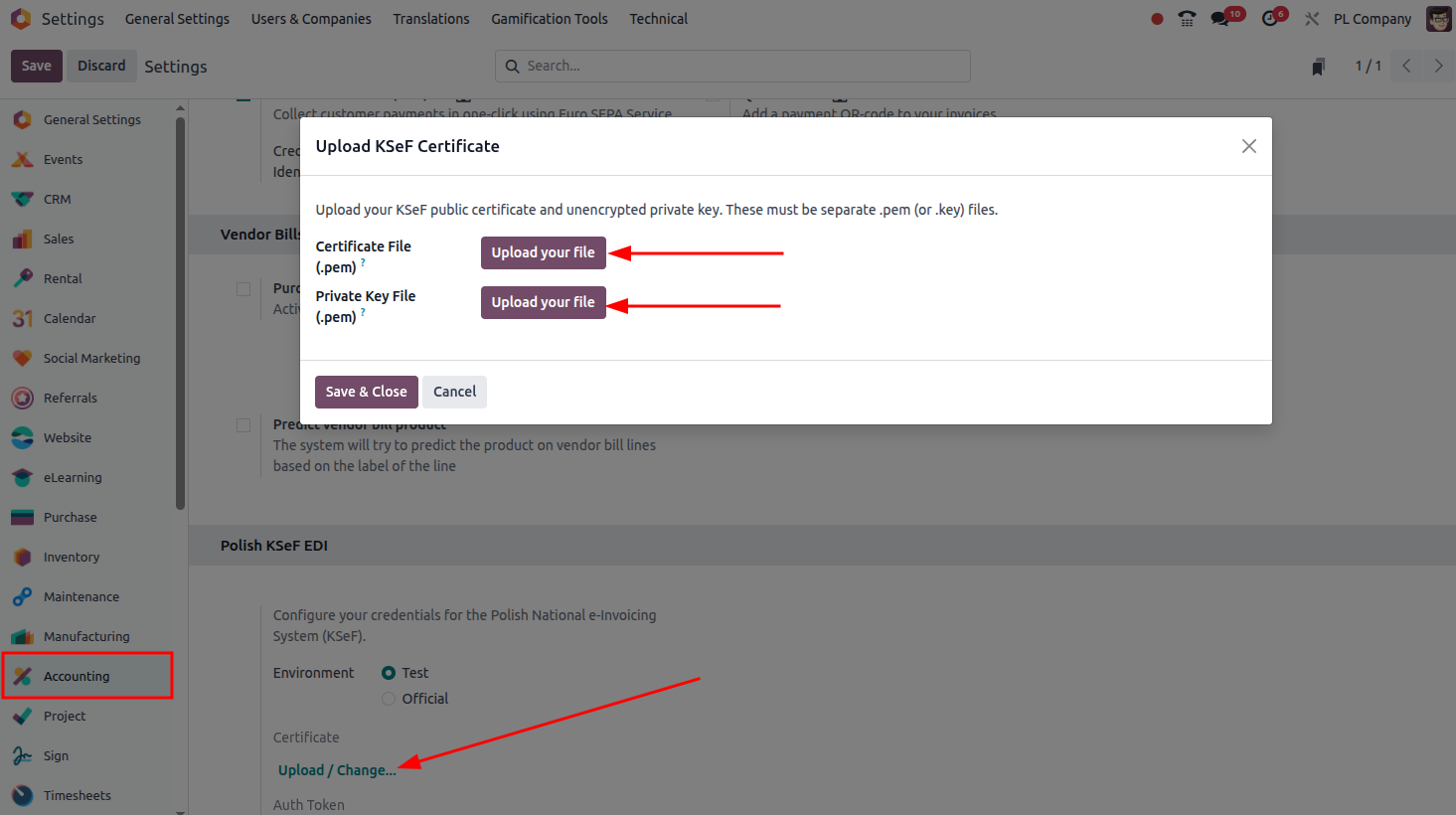
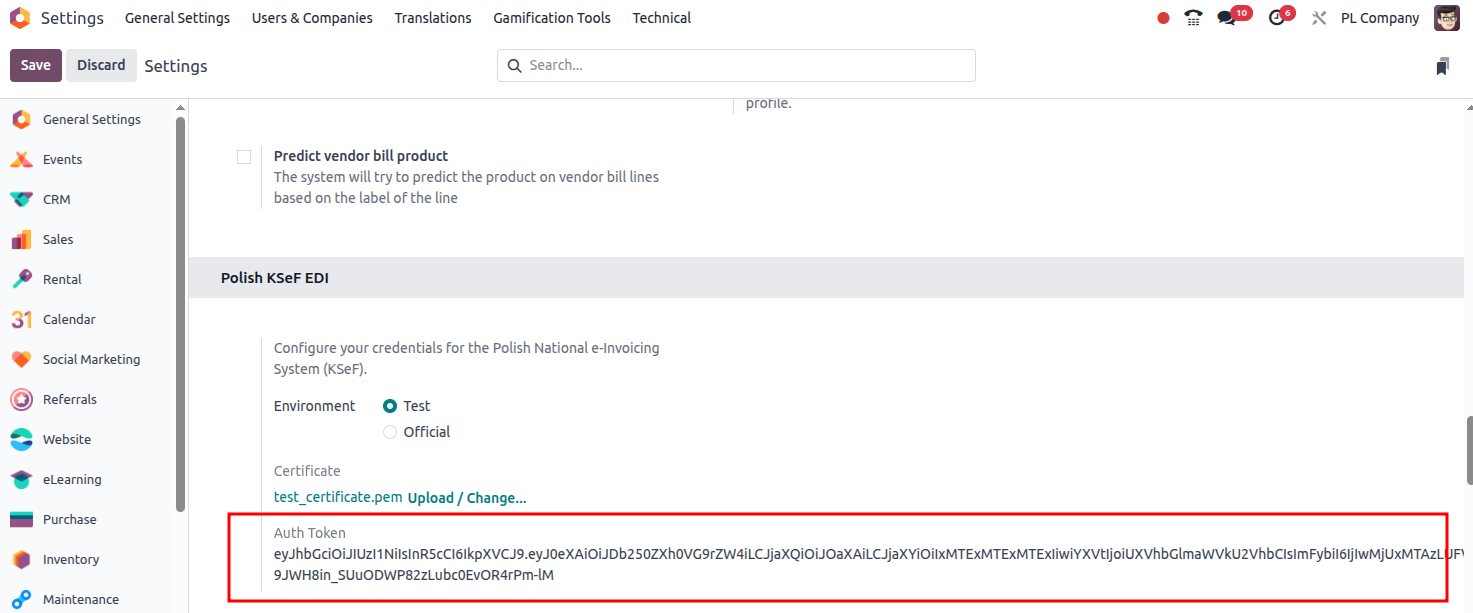
In Settings, upload your certificate file and private key file.
⚠️ Use only test certificates, as they are publicly accessible!
If everything is correct, Odoo will receive the authorization token.Now you are ready to send invoices.
Sending an Invoice
- Open the Accounting app
- Create a new customer invoice
- Confirm it
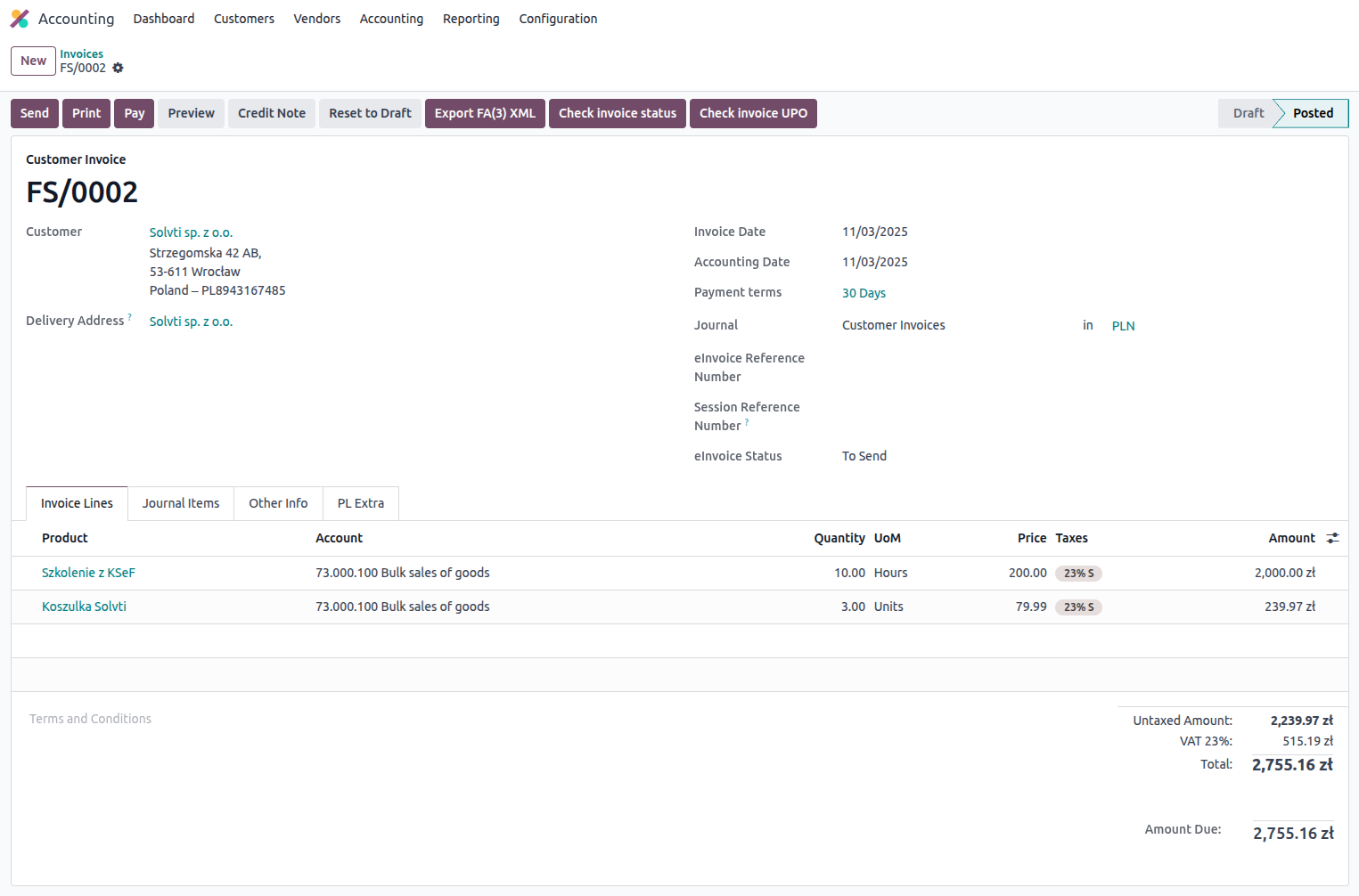
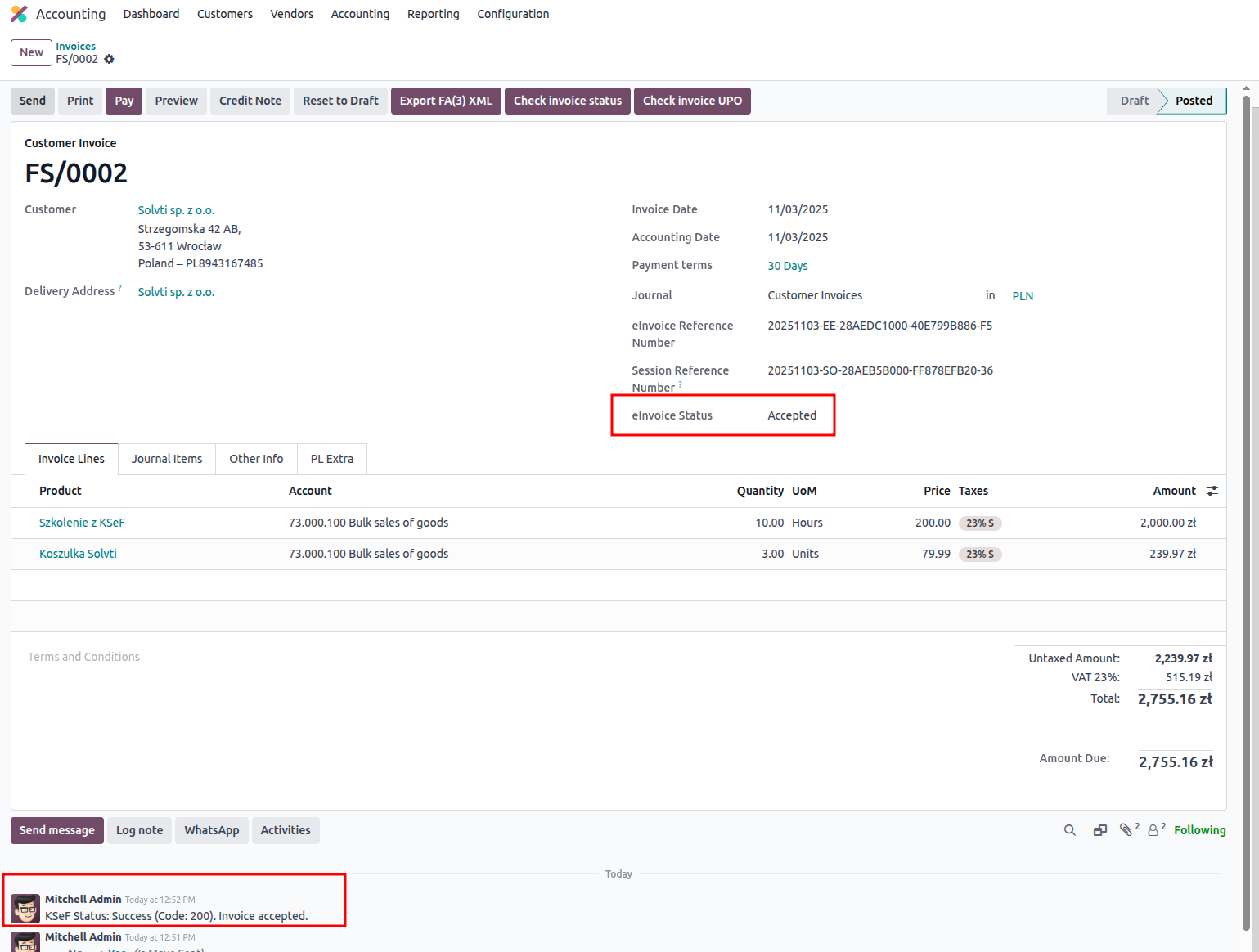
You will now see new KSeF-related buttons.
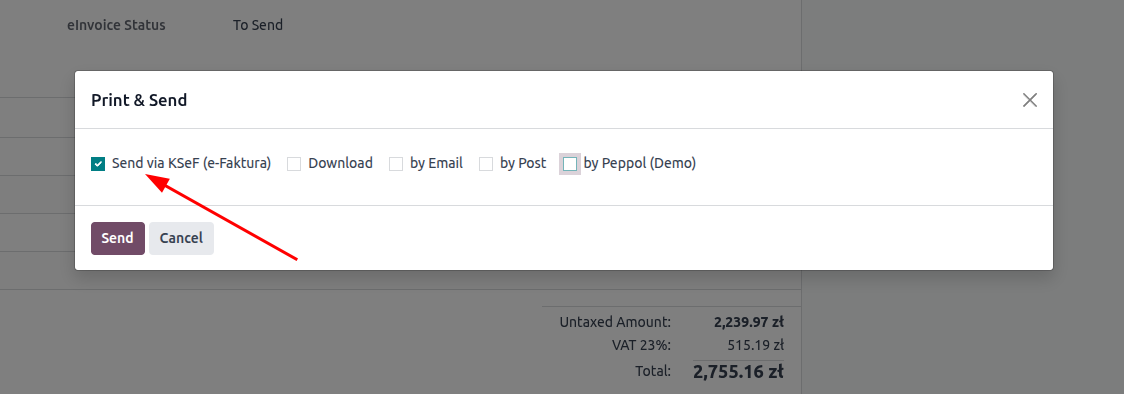
Before experimenting, send the invoice by clicking Send button and selecting the new KSeF option and clicking Send.
Once sent, you can now see a KSeF number of an invoice.
Next, you can check the status by clicking Check Invoice Status.
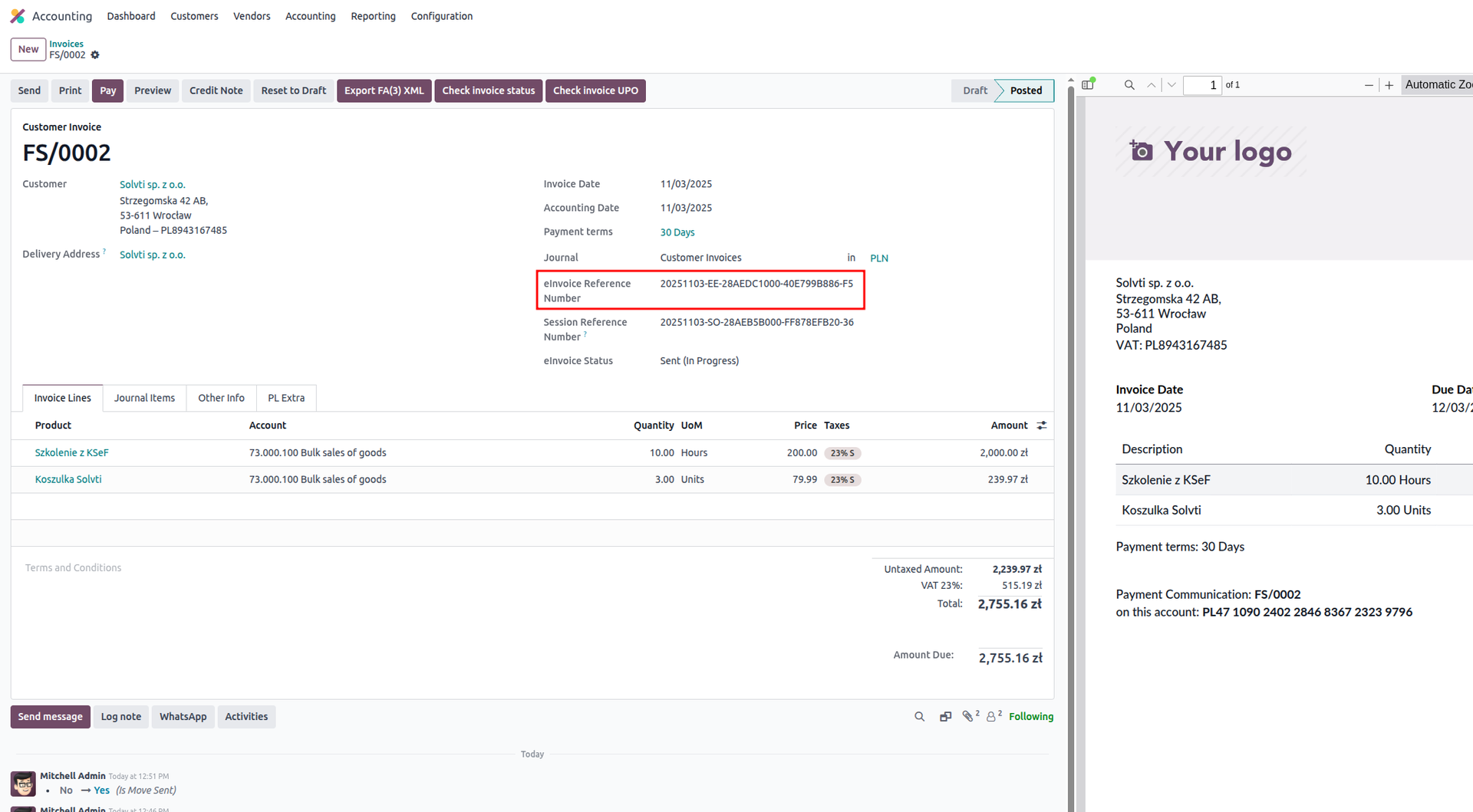
In the chatter you should see confirmation that the invoice was accepted by KSeF.
The e-invoice status will update to Accepted.
Download UPO and XML
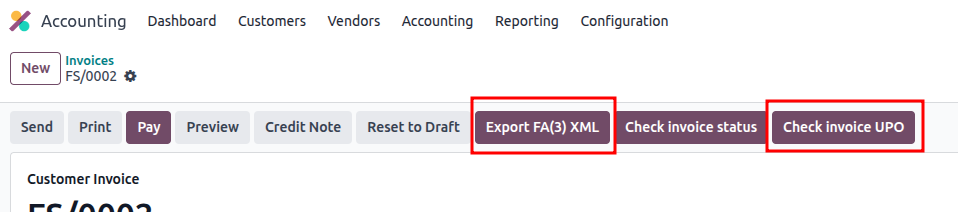
After acceptance, you can download:
- UPO file
- FA(3) XML file
Two separate buttons allow you to retrieve them.
Although the official release is still pending, Odoo’s KSeF support is already functional and evolving quickly. With the testing environment, you can explore how e-invoicing with KSeF will work in Odoo and prepare for the upcoming mandatory implementation.
