In this article, I will show you step-by-step how to launch an e-commerce store in the dropshipping model in Odoo.
Dropshipping is a business model where the seller sells products but does not keep them in stock. When a customer orders a product, the seller passes the order to the supplier, who then sends the goods directly to the customer.
In Odoo, the entire process can be handled within a single system.
Three elements are needed:
- An intuitive website where the customer can order products.
- Configuration of the products themselves.
- Order management.
One of the main advantages of dropshipping in Odoo is the transparency of information. The system provides full insight into sales, purchases, and margins, which facilitates management and business decision-making.
Another advantage of Odoo is that the system does not limit business growth. If you decide to launch your own warehouse or production in the future, you can continue working in the same system.
Creating a Website
We start by creating a website. This is a very simple and intuitive process. If this is your first time using Odoo, you do it through Odoo's Website Builder;
You should be able to create the site itself without any problems on your own, but if you need help, I invite you to read the step-by-step guide on how to create your first website in Odoo.
Dropshipping in Odoo - how to start?
At the very beginning, you need to enable two options in the settings: "Dropshipping" and "Margins".
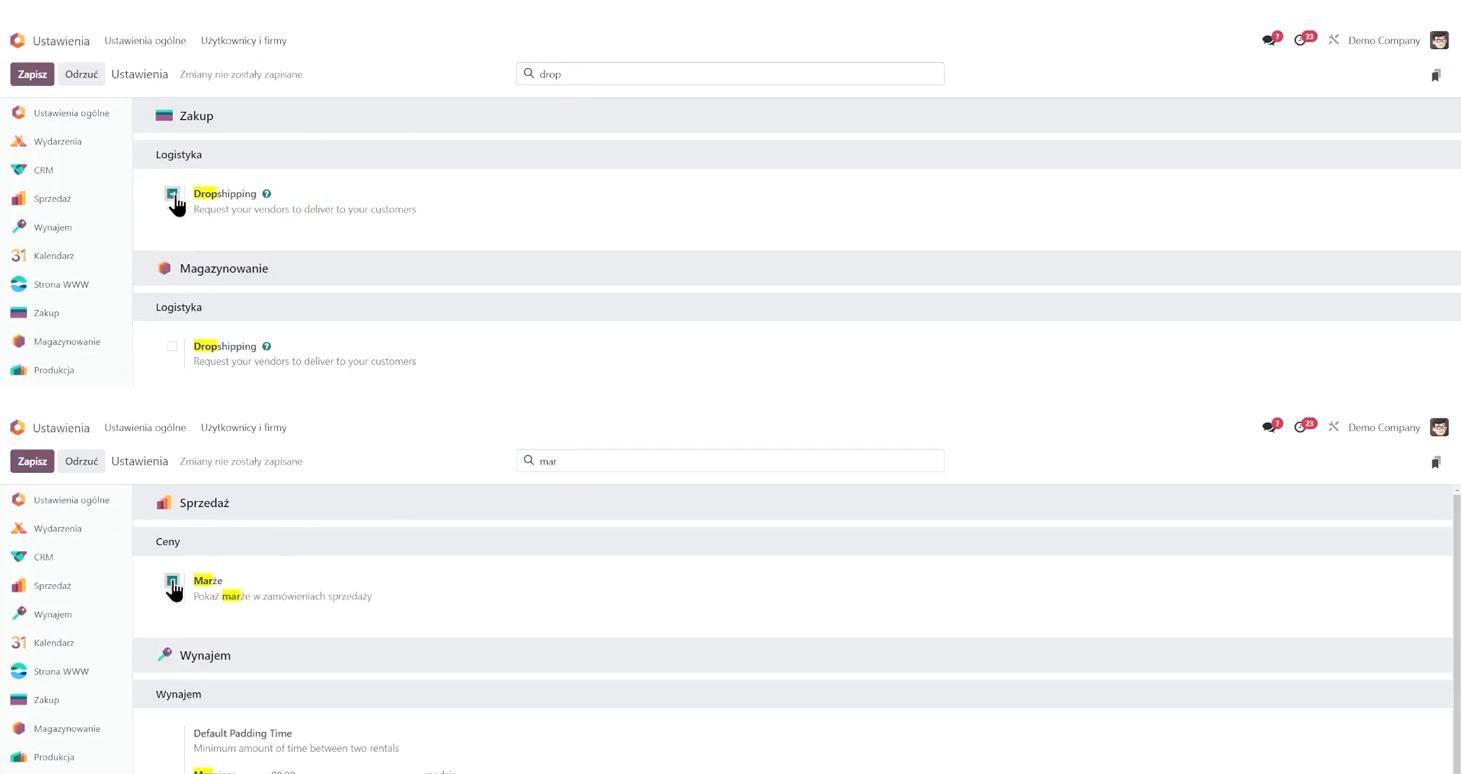
After saving the changes, we can move on to adding products.
Adding a product
To see the list of products, you can go to "Sales" → "Products", or use a shortcut-type "products" after pressing /.
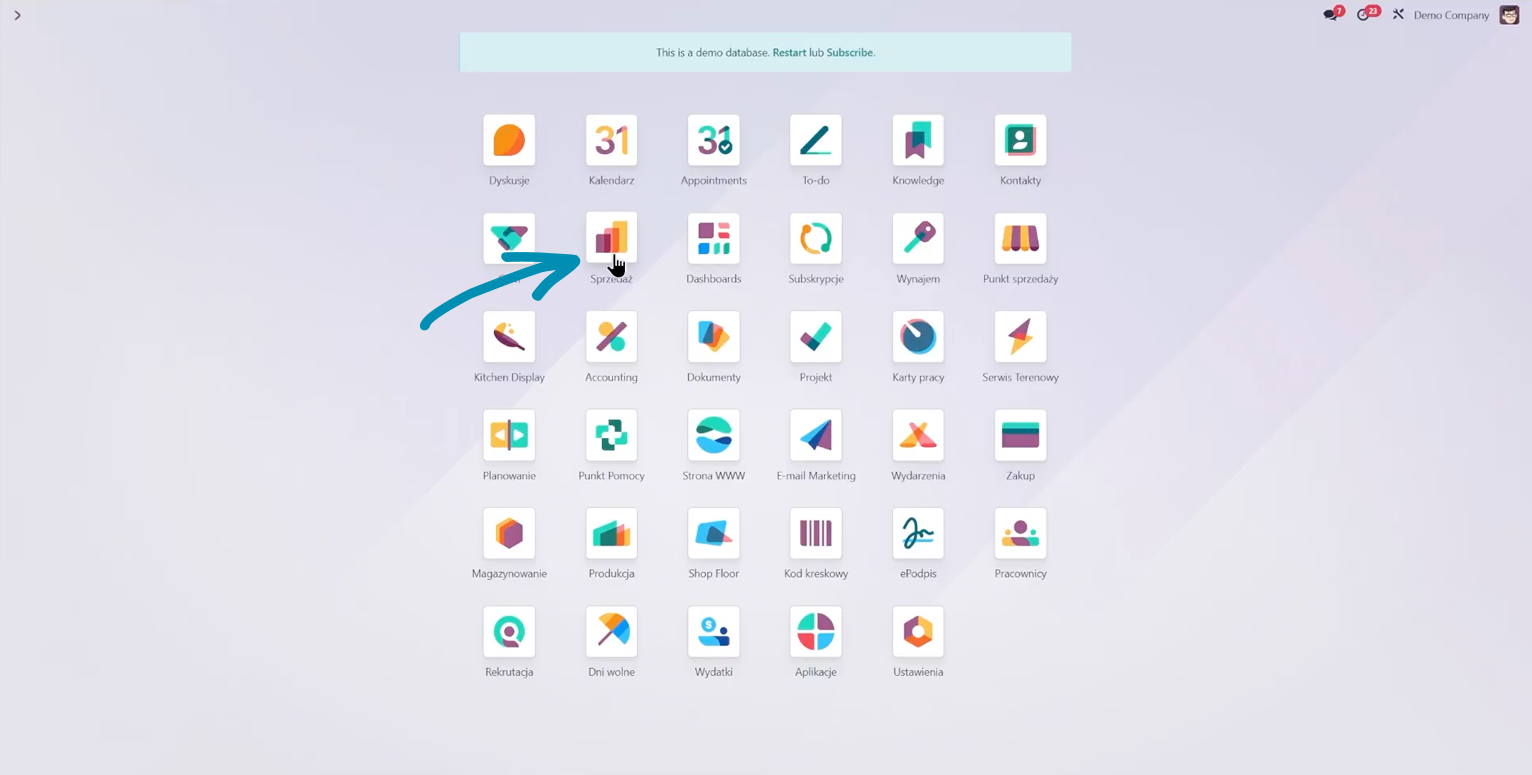
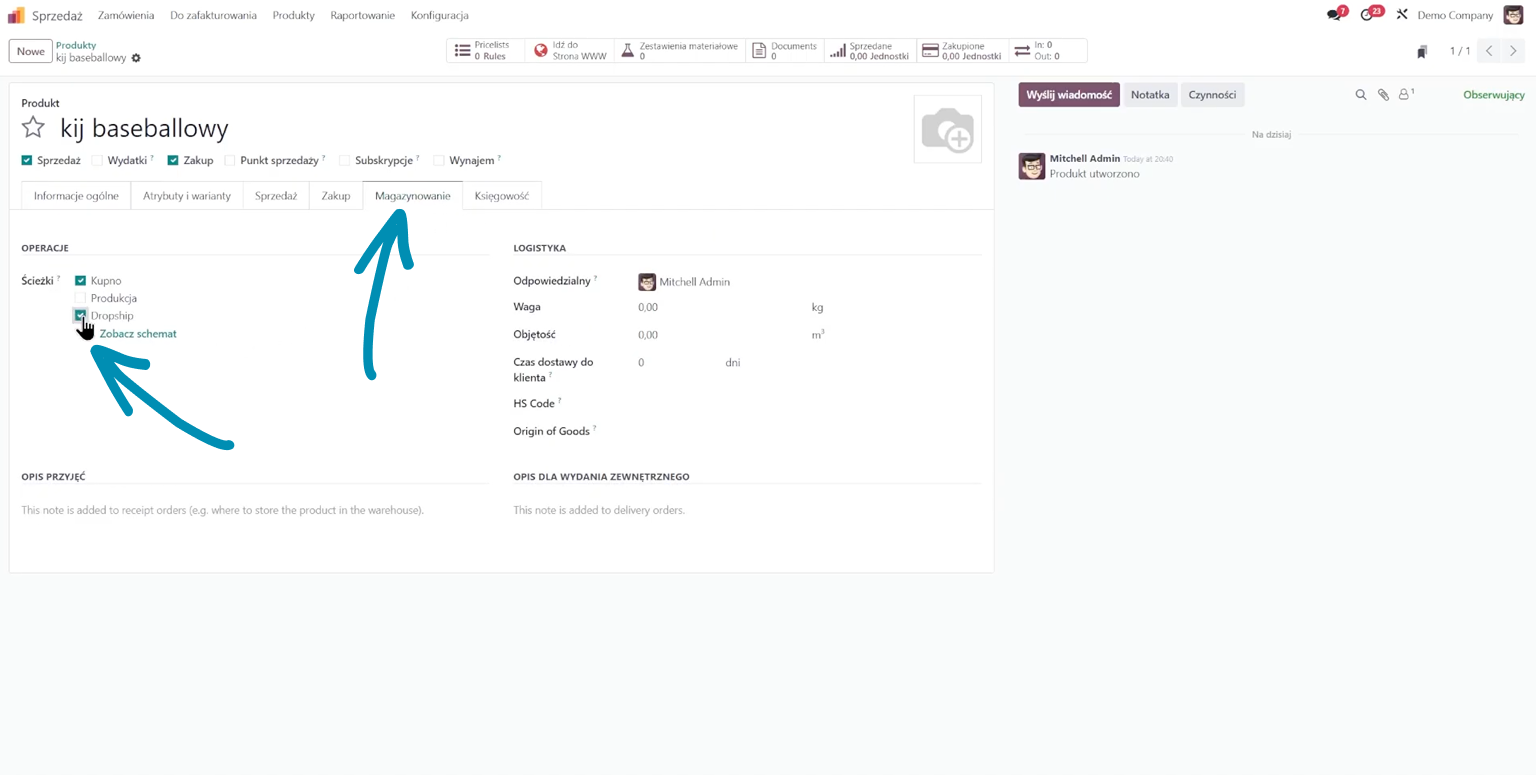
I am adding a new product named "Baseball Bat." In the "Inventory" tab, I select the "Dropship" option.
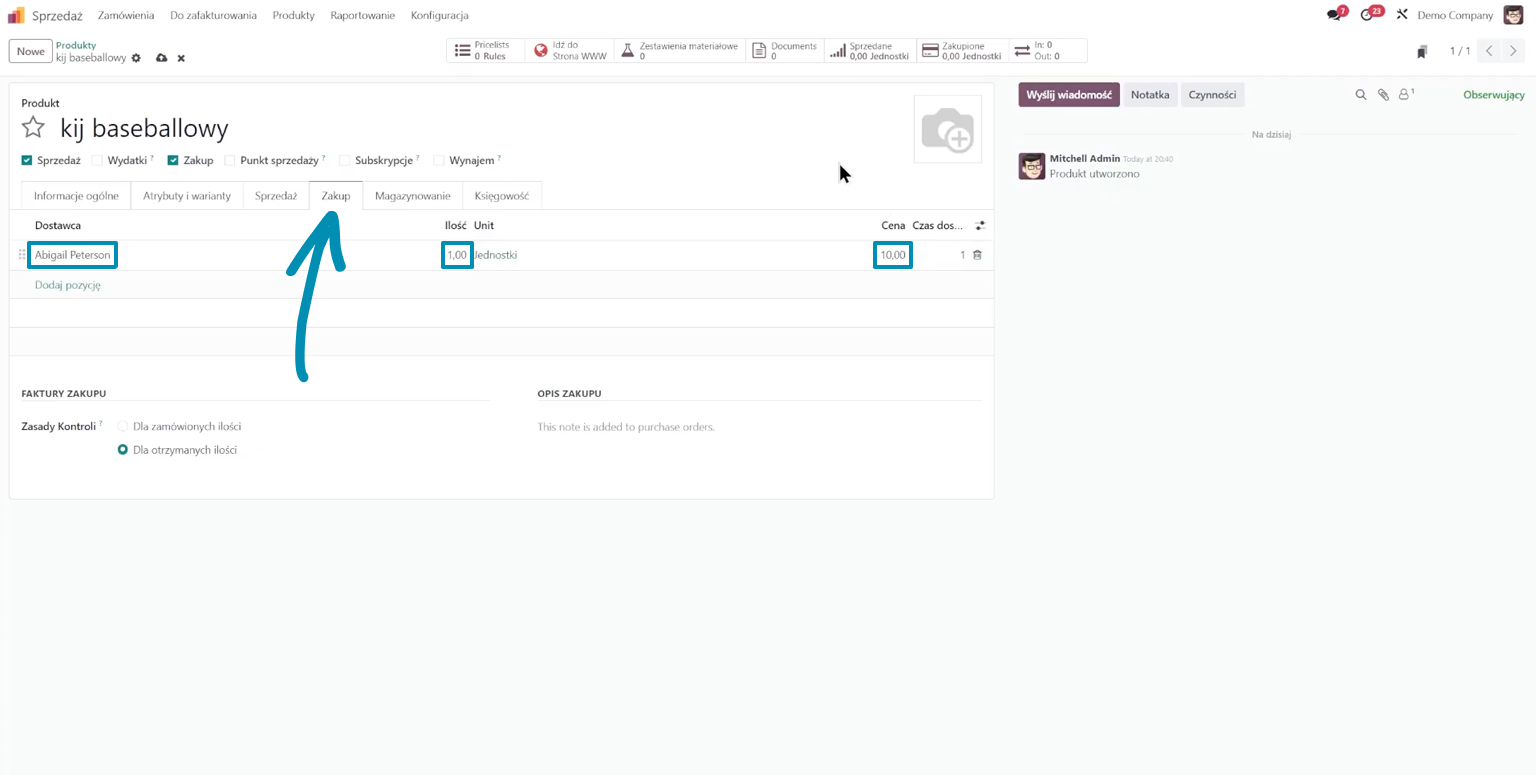
Next, in the "Purchase" tab, I add the supplier from whom I will receive the product and set the purchase price.
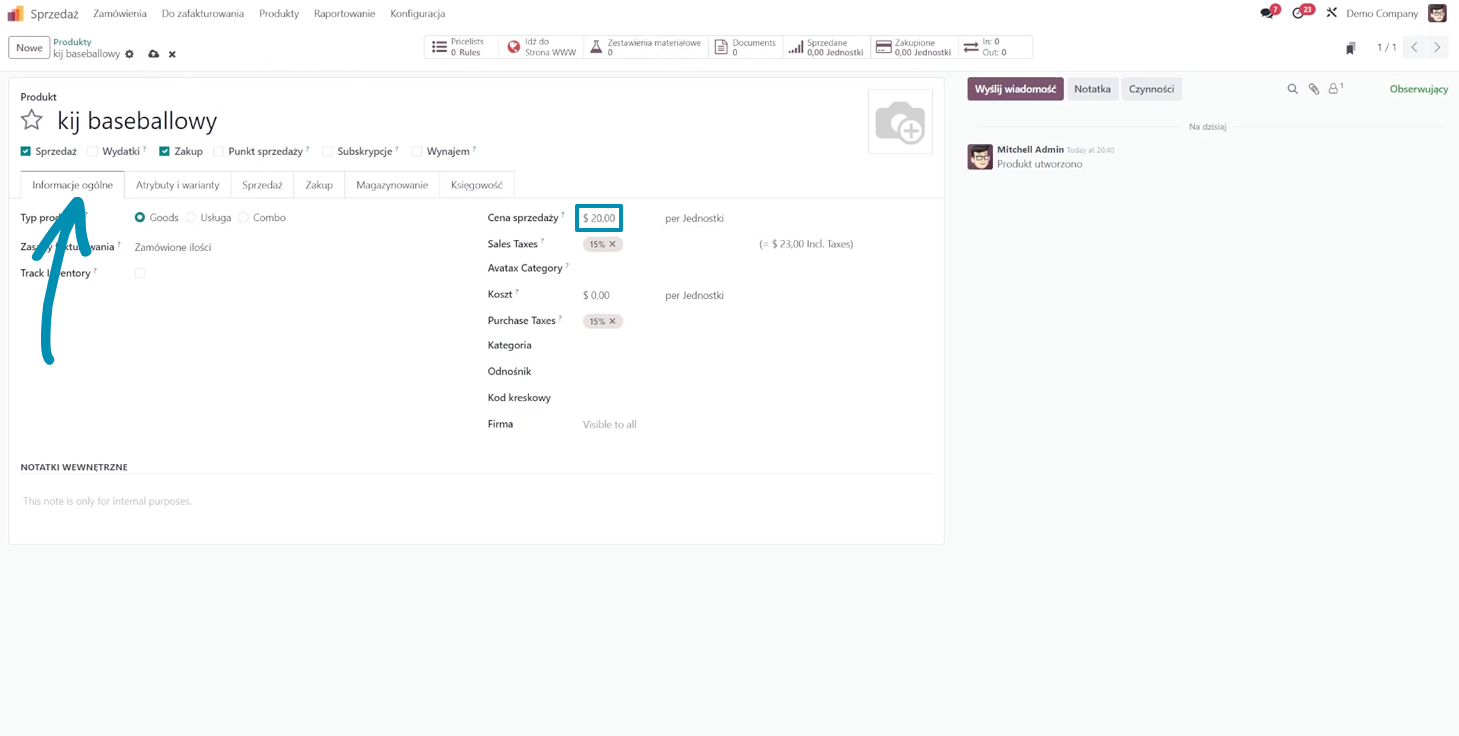
In "General Information," I enter the sales price - 20 dollars per unit - and save.
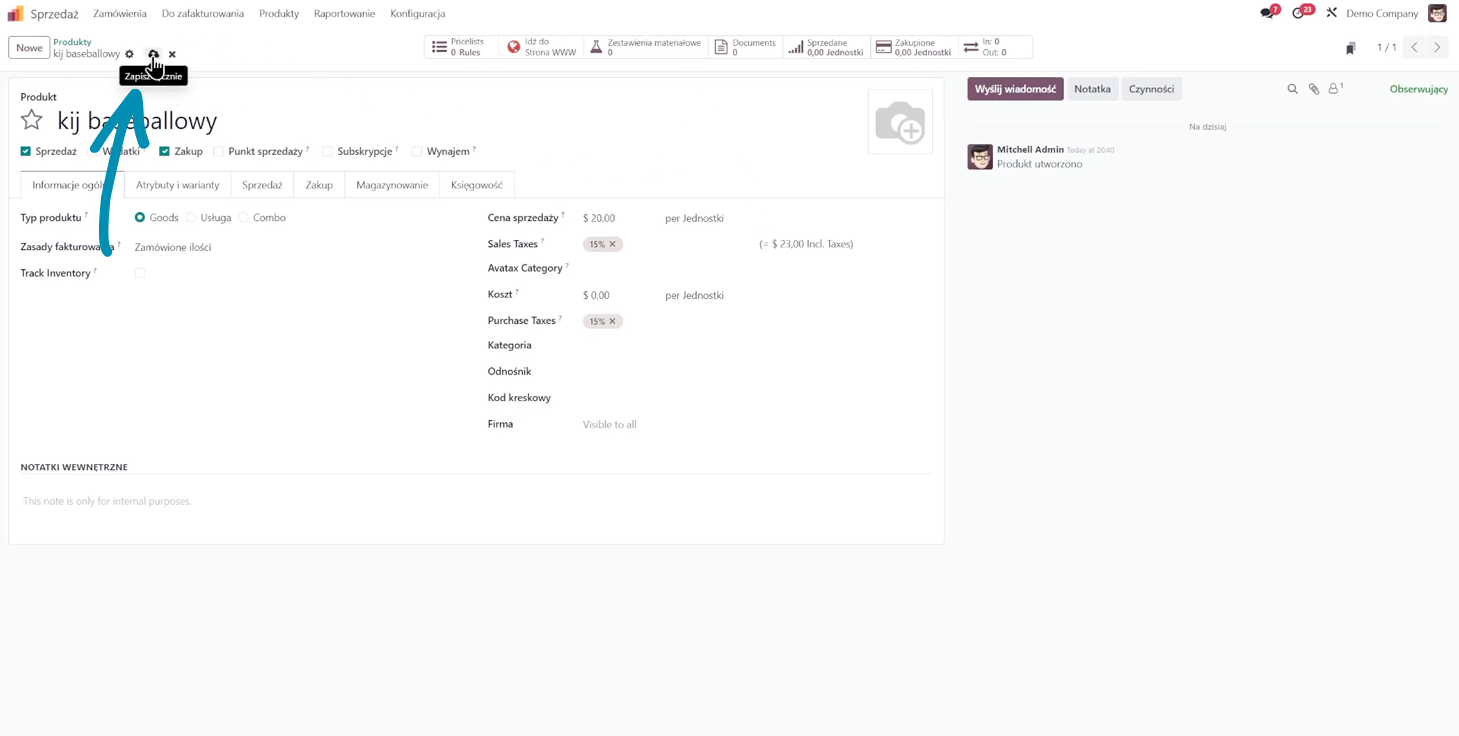
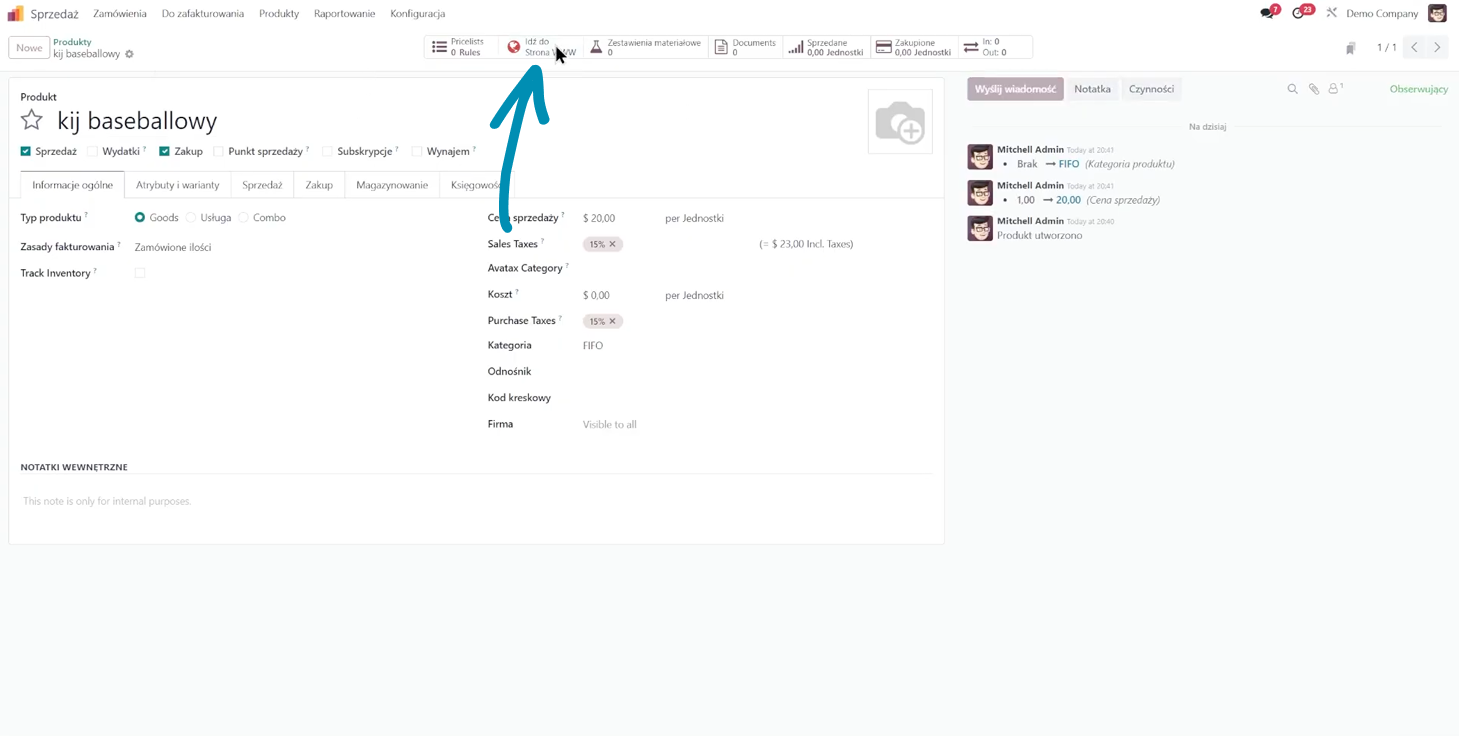
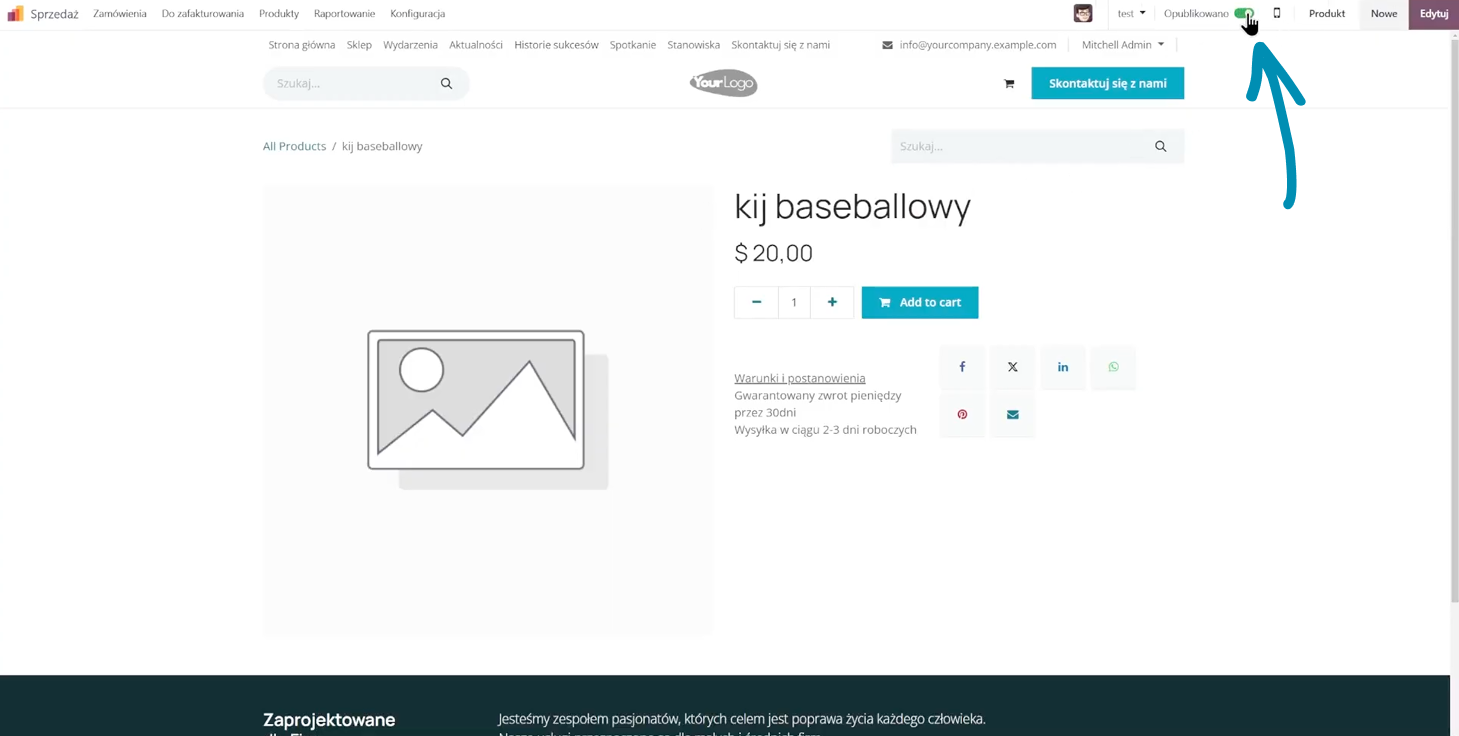
The product is almost ready. I click "Go to Website" and publish it. From this moment on, the customer can already buy the baseball bat in the store. Simple, right?
The purchasing process - dropshipping in Odoo
Let's simulate the entire purchasing process now.
The customer selects the baseball bat, adds it to the cart, and makes the payment. The order is placed.
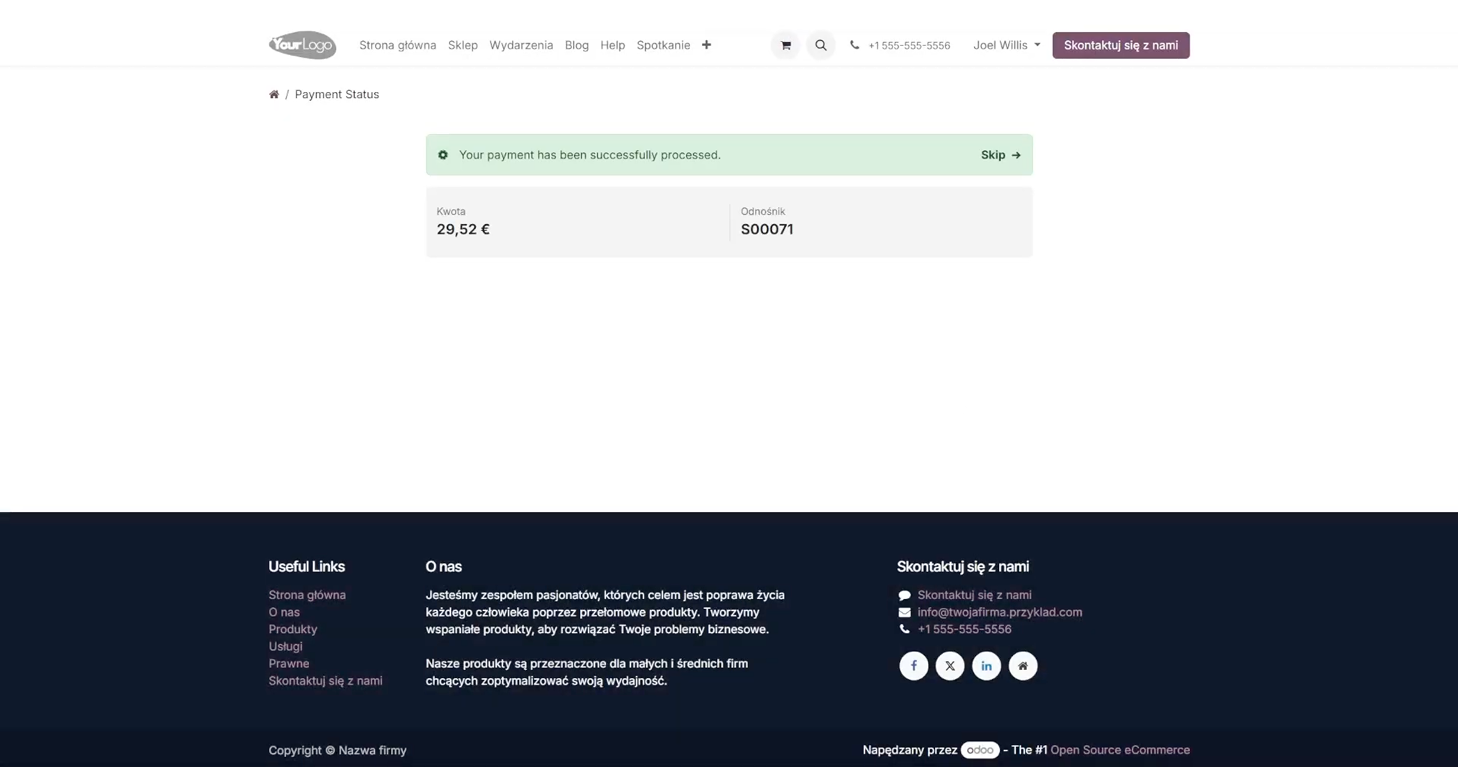
On the administrator side, in the "Sales" module, a new order appears - someone bought a baseball bat.
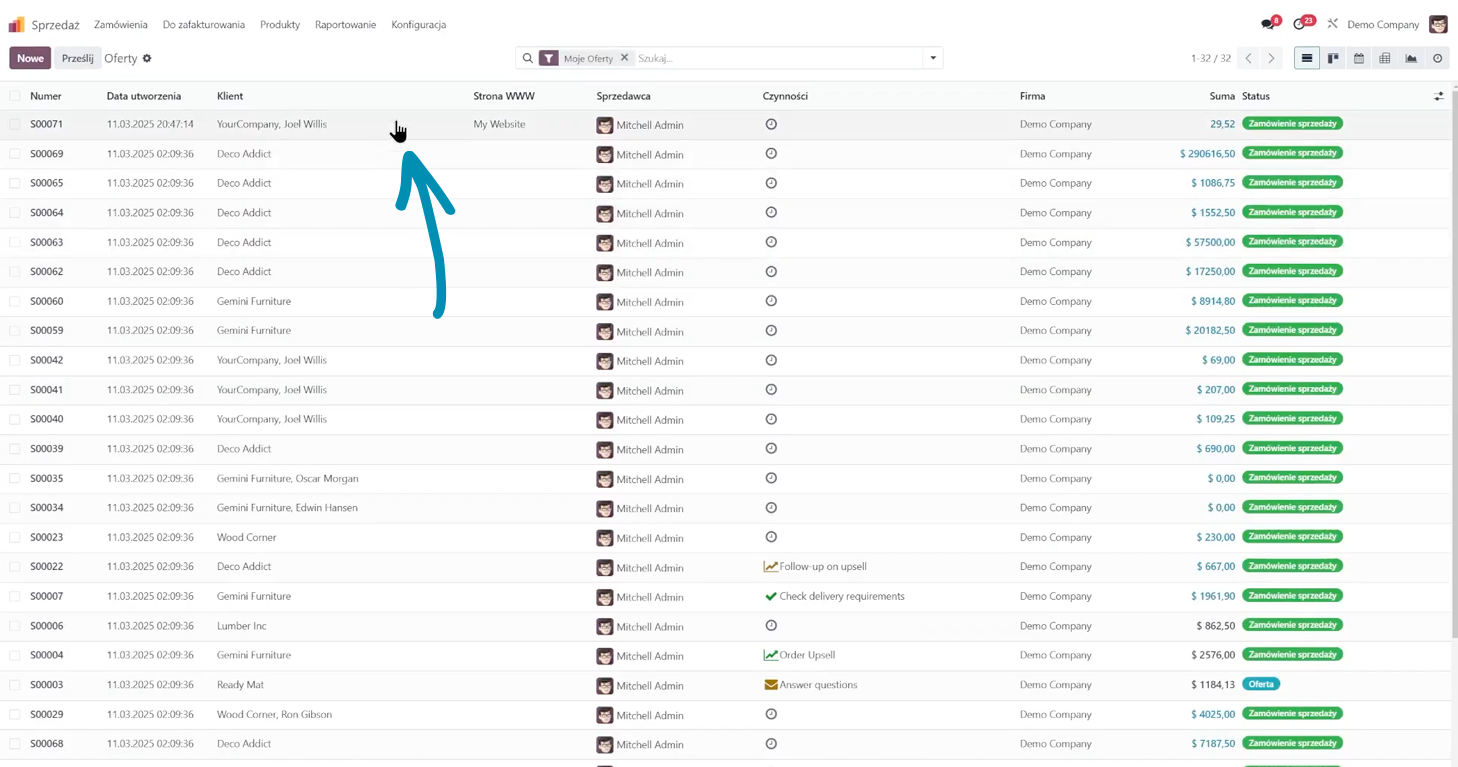
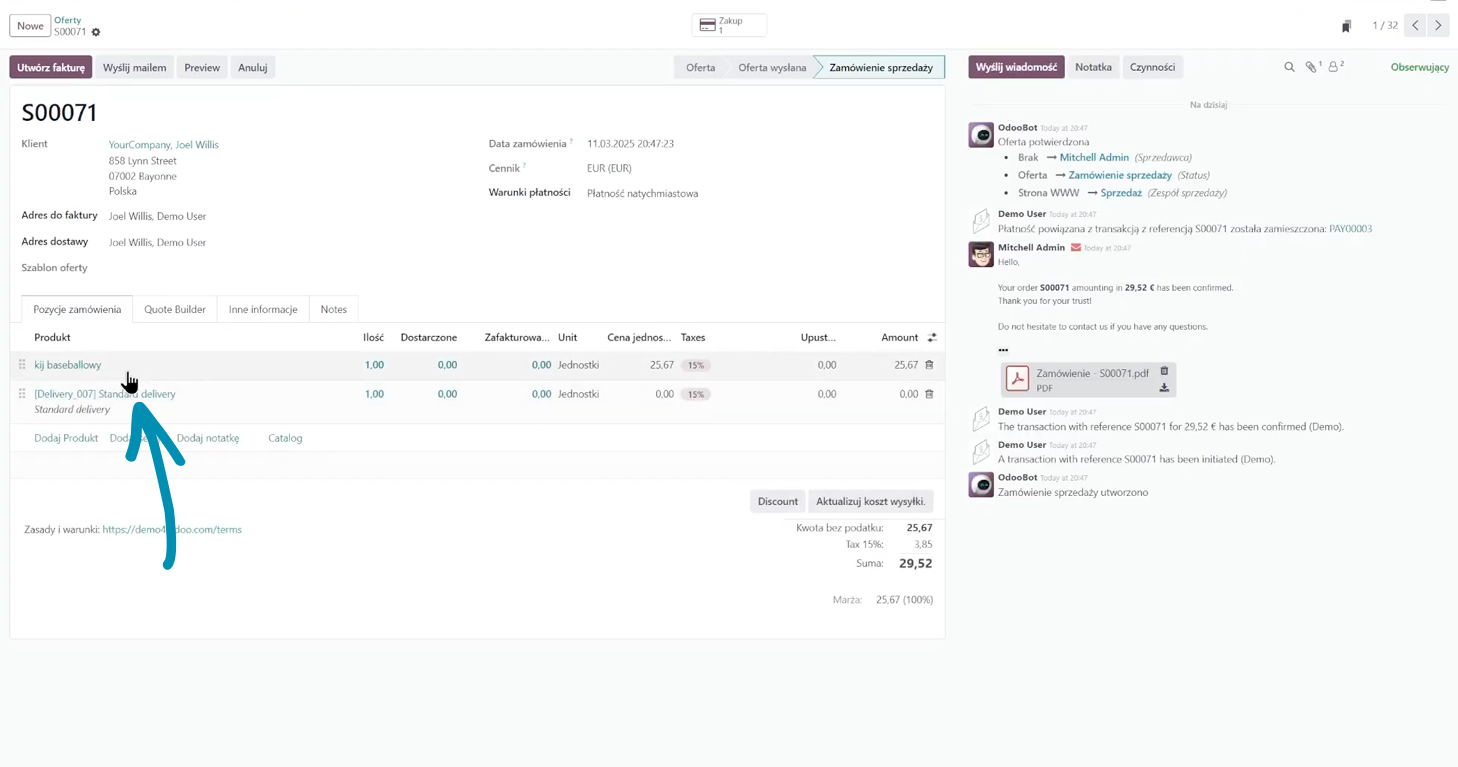
Odoo automatically creates an order for the selected supplier because this product was marked as "dropshipping". This means the supplier will send the goods directly to the customer.
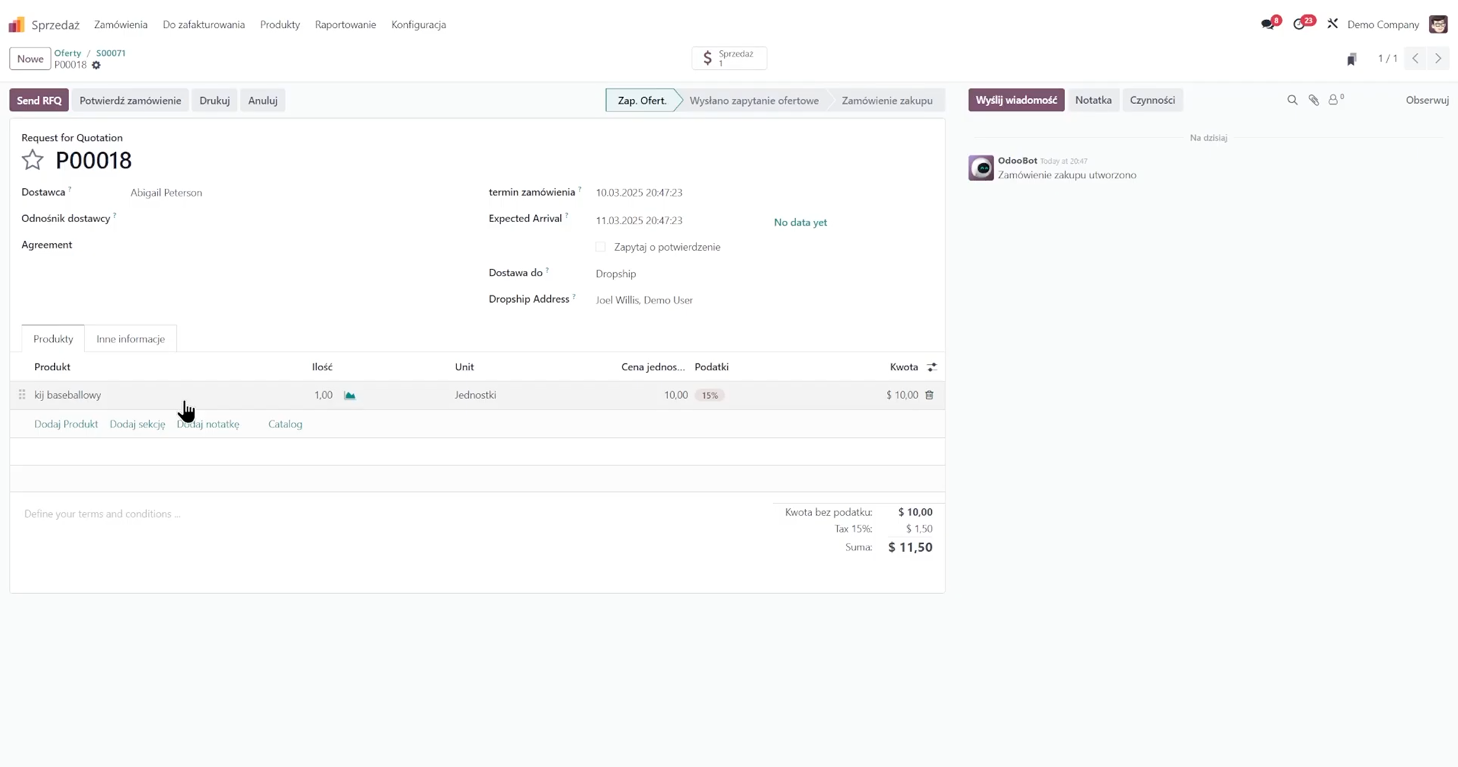
At this point, you can still agree on sales terms with the supplier. If the price is the one I set on the product (e.g., 10 dollars) and the supplier confirms it, I click "Confirm Order".
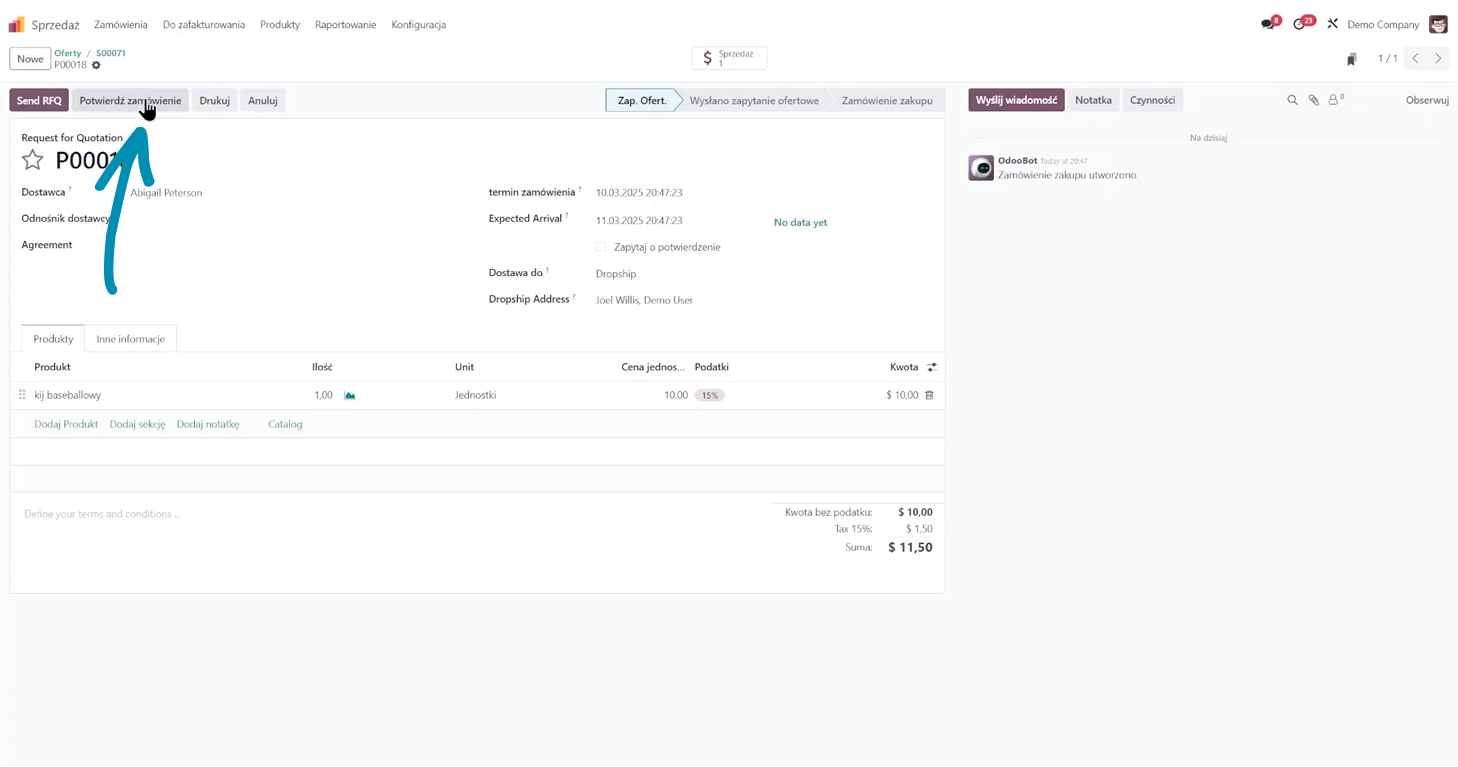
Odoo then creates a dropshipping order directly from the supplier to the customer - exactly how dropshipping should work.
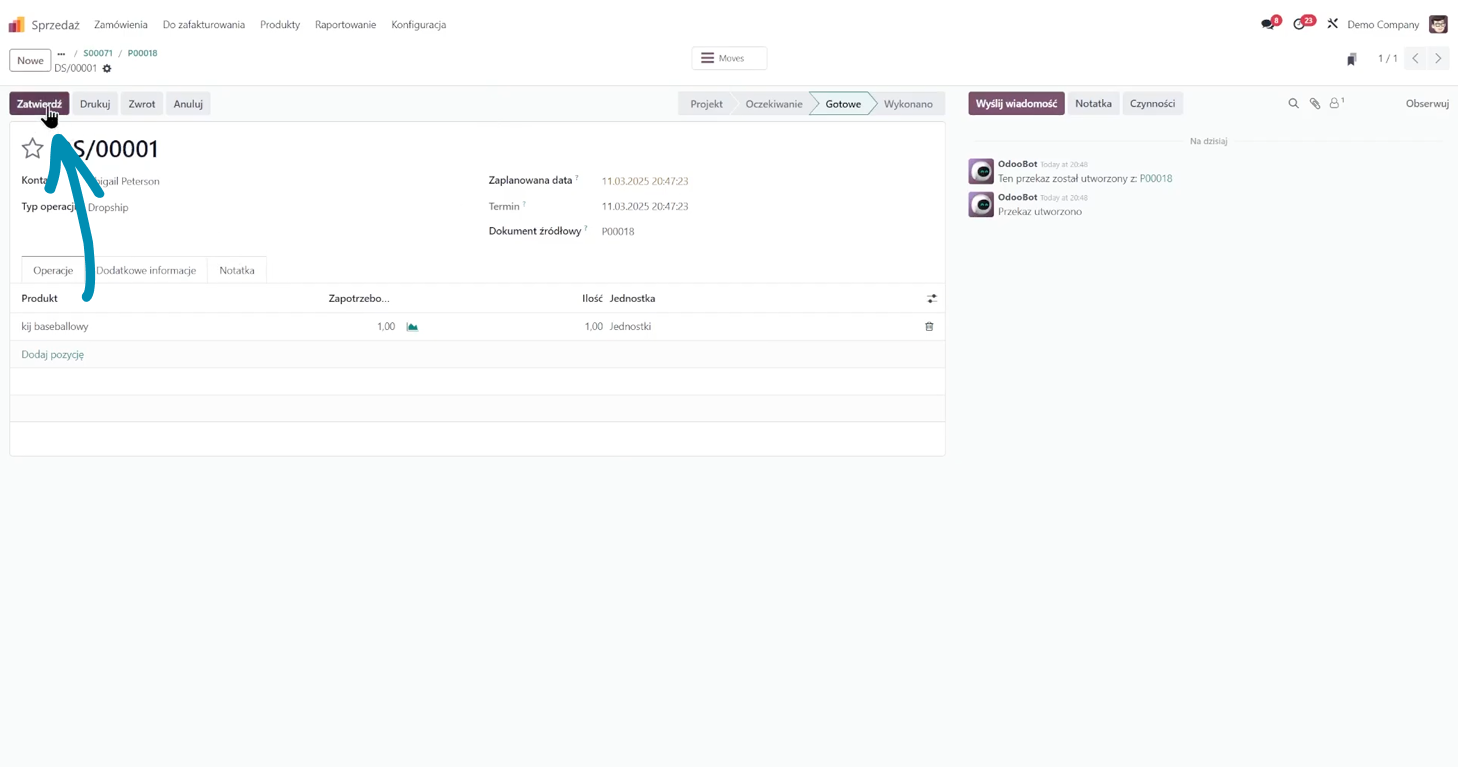
When the customer receives the shipment, I click "Validate".
Dropshipping in Odoo - final thought
In this way, I have configured a product in the dropshipping model in Odoo. The entire process - from website creation to configuration and order fulfillment - runs automatically in Odoo.
If you want to learn more about this topic, I encourage you to read the article about how much it costs to have Odoo.
Summary
The whole thing is truly simple—a few steps and the store is fully operational in the dropshipping model. Good luck in growing your e-commerce business!
Want to learn more about dropshipping in Odoo? Contact us; we would be happy to advise whether and how Odoo can specifically help your company.