
Chatter is a key feature in Odoo that allows you to track everything happening on a specific record – all in one organized place. No more chaos, digging through dozens of emails, or wondering who last changed something and when!
Let's look at why Chatter in Odoo is so important and how to effectively use its most important features in practice.
Where to find Chatter in Odoo?
Chatter in Odoo is integrated with almost every key record in the system. You will find it:
- On the right side of the main record screen (e.g., Contact, Opportunity, Quotation, Invoice).
- At the bottom of the screen in the case of narrower views.
This division into the main data section and the side (or bottom) Chatter section is standard across the entire system for most records, such as: contacts, products, CRM opportunities, sales quotations, or invoices.
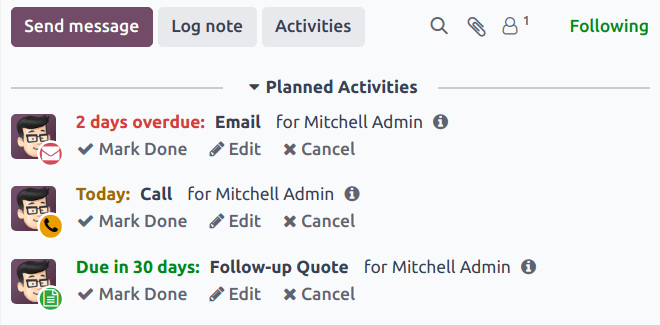
In the rest of the article, we will discuss 3 important functions of Chatter in Odoo: record change history, messages, and activities.
3 Most important features of Chatter in Odoo
Chatter in Odoo is more than just a message field. It performs three key roles: Change log, communication center, and activity planning tool.
1. Record change log
You can treat Chatter in Odoo as a timeline, or a change log on the record. It automatically records all the most important events that have taken place, giving you a full overview of the history:
- Change in the status of a quotation (e.g., from "New" to "Qualification").
- Update of key data (e.g., adding a phone number to a contact).
- Assignment of the record to a new employee.
Thanks to this, you have a complete picture of who changed what and when, which is invaluable in teamwork and process auditing.
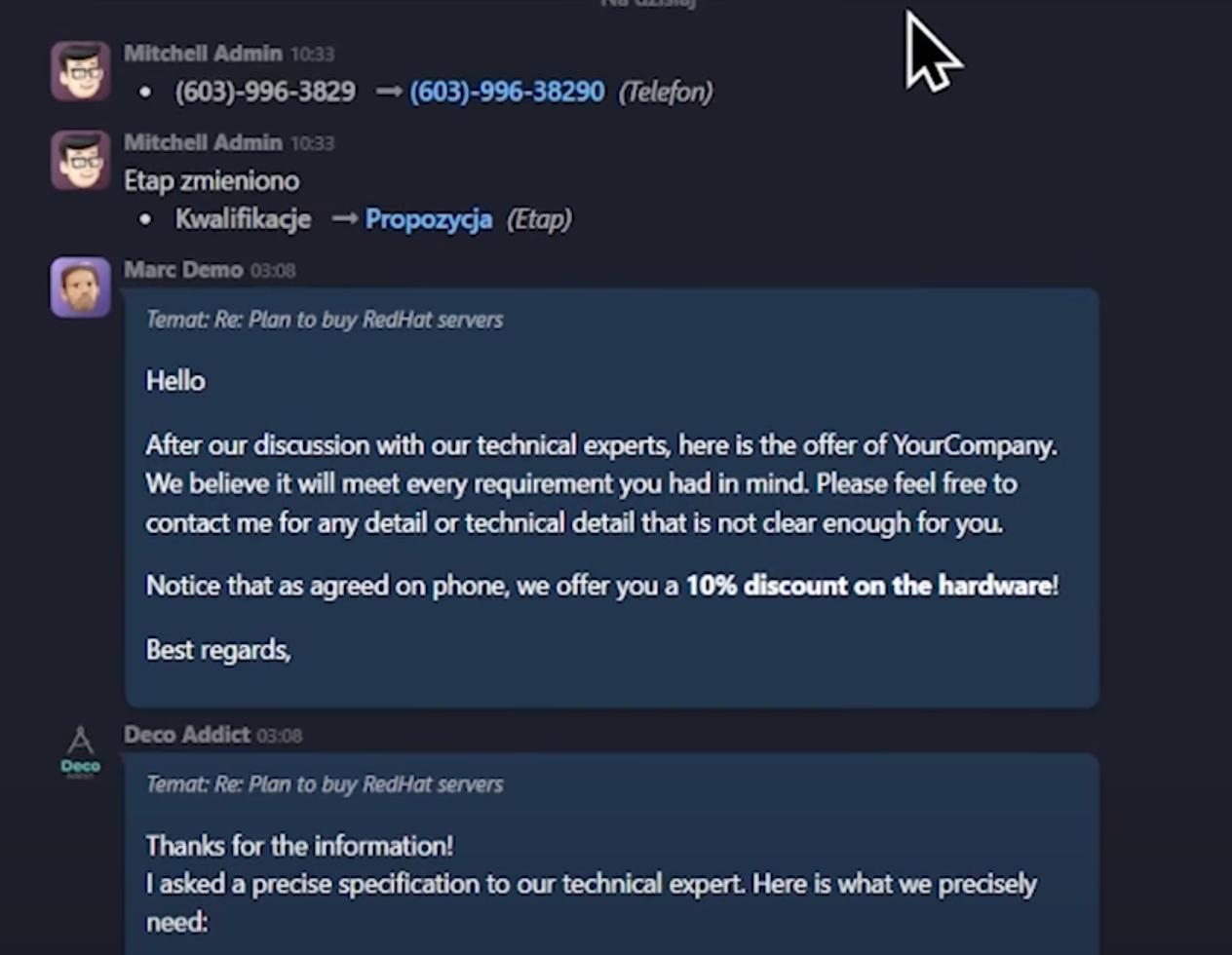
2. Communication hub
Chatter in Odoo also becomes the central point of communication with the client and the team.
Sending messages to the customer
Directly from the Chatter section in Odoo, you can send a message to the contact person associated with the record. Simply:
- Click "Send Message" (or Mail).
- Enter the content and optionally attach a file – done. Odoo will send an email on your behalf.
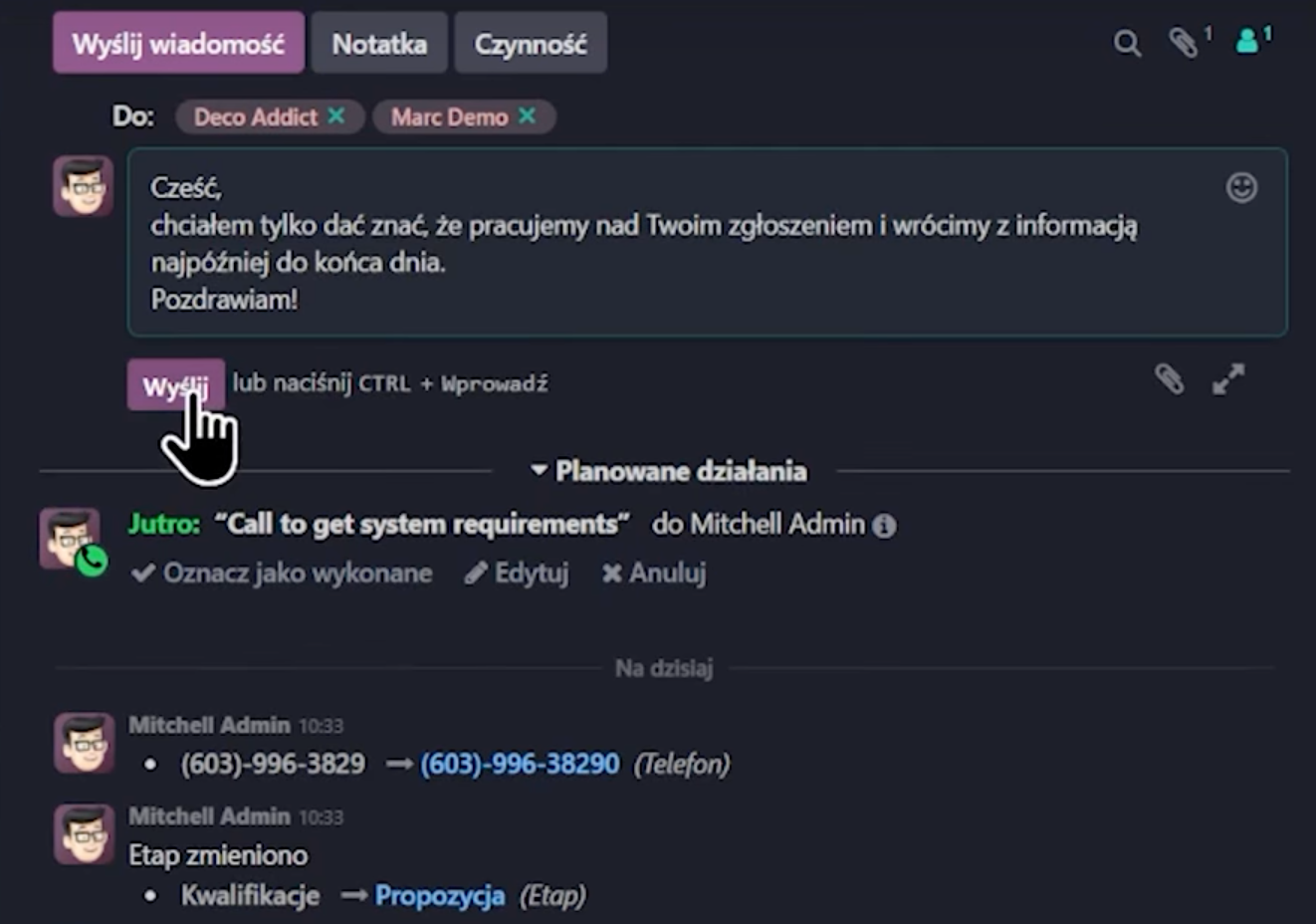
You can also use the full editor button if you want to use templates or more advanced HTML formatting. All customer replies will also be automatically attached and visible in Chatter, creating a consistent conversation history.
Internal Notes (Log Note)
If you want to leave information that should be visible only to your team and will not be sent to the customer, use the "Notes" option (often labeled as Log Note). This is the ideal place for internal comments, summaries of phone calls, or reminders.

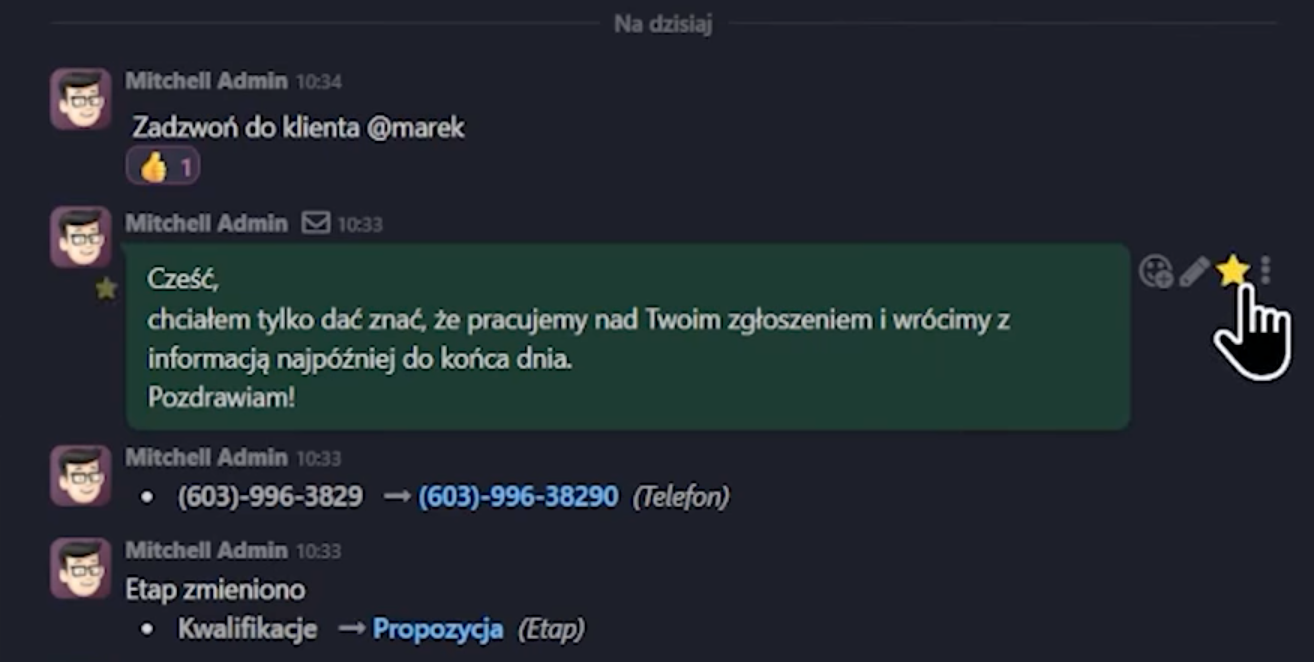
Tip: By tagging a colleague with the @ symbol (e.g., @Marek), you will send them an automatic notification in the system.
Emoticons and star tagging
For every message in Chatter in Odoo, you can hover the cursor over it and add an emoticon (e.g., confirming reading with an "OK" sign or asking a question with a question mark). You can also star an important entry. Such an entry then goes to the "Starred" tab in the Discussions application, making it easier to quickly find key information in the future.
3. Followers and activity planning
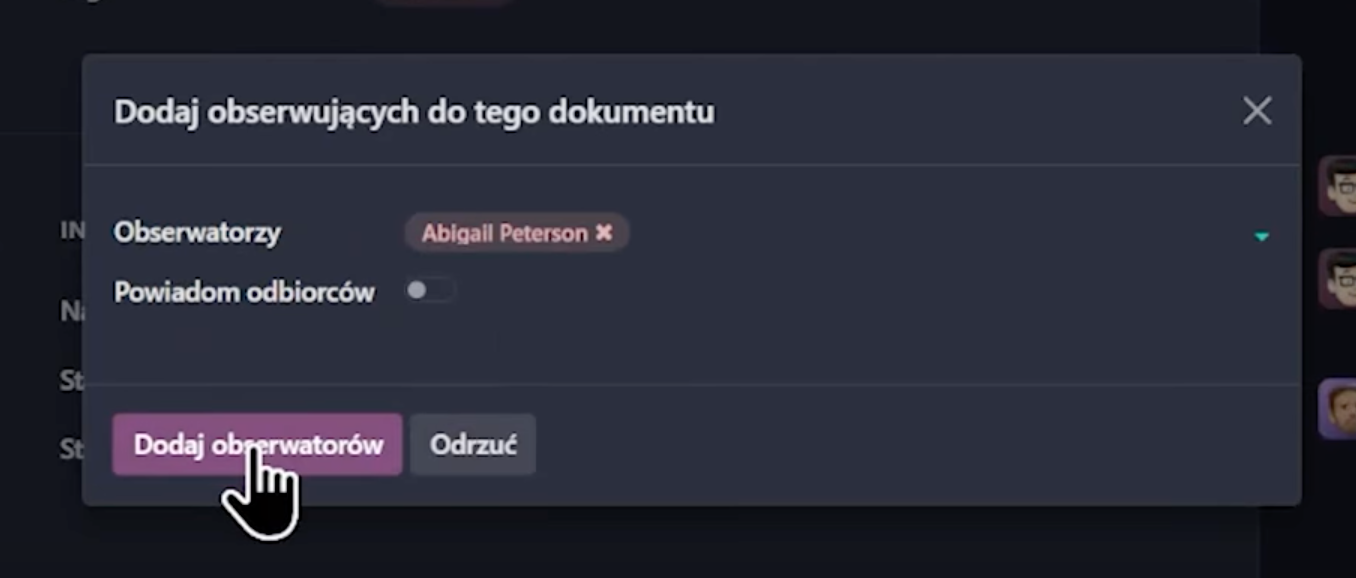
Managing record followers
In the upper right corner of the Chatter section in Odoo, you can manage record followers.
- You add your colleague or a contact person on the client's side – then all sent emails will also be delivered to them.
- You can easily remove them too.
- Automatic addition: If you are assigned to a record, for example, as the opportunity salesperson, you automatically become a follower.
Activity planning
In Chatter, you will also find the "Activity" button. Thanks to it, you can plan tasks, phone calls, meetings, or emails, and everything will go directly to the Odoo calendar. (Although this is a key feature, it will be discussed in detail in a separate article/video).
Summary: why Chatter in Odoo is your ally
Chatter in Odoo is the place where you have all messages, notes, and events related to the record. It is simple, clear, and very convenient. Thanks to it, the entire team knows what is happening – and no one needs to be reminded. It limits chaos and the need to dig through emails by centralizing communication.
Do you want to see how Chatter in Odoo can improve communication in your company? Contact us, we're happy to help!