How it will help you?
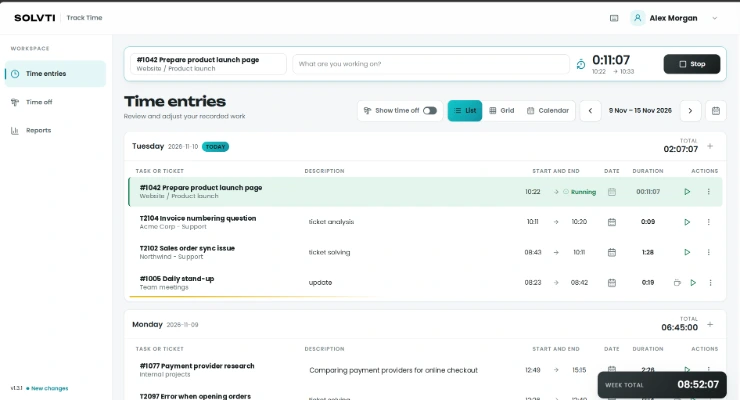
Solvti Time App gives your team one simple place to record working time. Pick a task or helpdesk ticket, press start, and the entry is saved straight to Odoo Timesheets.
No more searching through Odoo menus at the end of the week. Hours are logged as the work happens, ready for project control, invoicing and payroll.
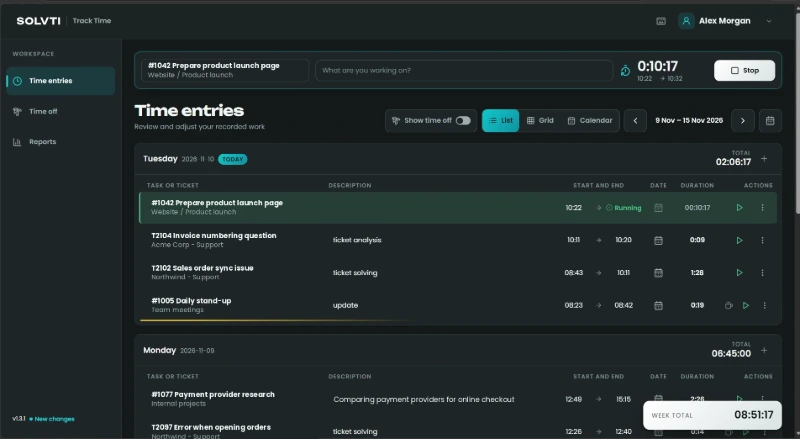
The running timer stays at the top of every screen. Start, stop or switch tasks in one click.
Module highlights
Everything an employee needs to record time, in an app built only for that.
Start the timer and get back to work
Pick a task or helpdesk ticket, add a short note and press start. The timer stays at the top of every screen, so switching tasks takes one click.

List, weekly grid and calendar
Check the day as a list, fill in the whole week in the grid, or see every entry hour by hour.
Drag to edit
Move, resize and copy entries in the calendar. Undo and redo are always one click away.
Time off in the same app
Select dates on a yearly calendar to request leave and follow its status next to public holidays.
Personal reports
Hours per day, week or month, with and without time off, split by project.
Built on Odoo
Saved to Timesheets
Each entry is a regular timesheet line, ready for billing and reports.
Portal users too
Subcontractors log hours without back-office access.
Desktop, phone, Mac
Install it as an app or use the macOS menu-bar app.
See it in action
Fill in the whole week at once
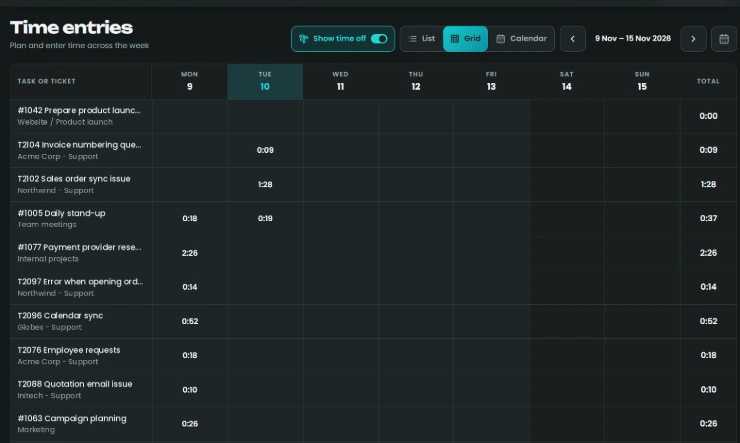
The weekly grid shows every task and ticket you worked on, with totals per day and per row. It is the quickest way to complete or check a timesheet before the week closes.
Plan and correct your day visually
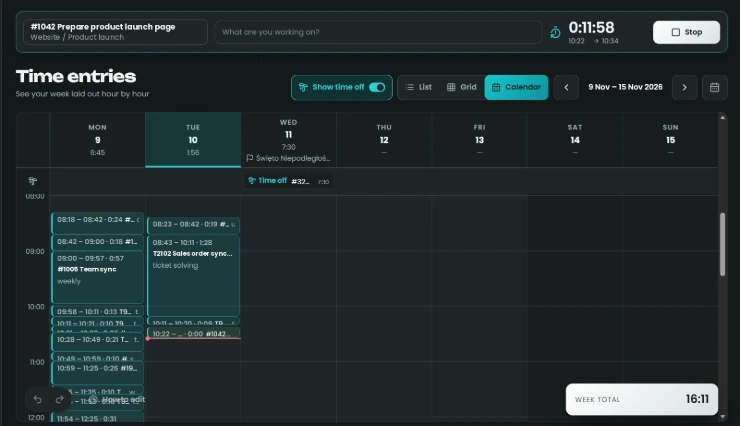
The calendar lays out the week hour by hour. Drag an entry to move it, pull its edges to change the duration, or hold Ctrl to copy it to another day.
Approved time off and public holidays are shown in the same view.
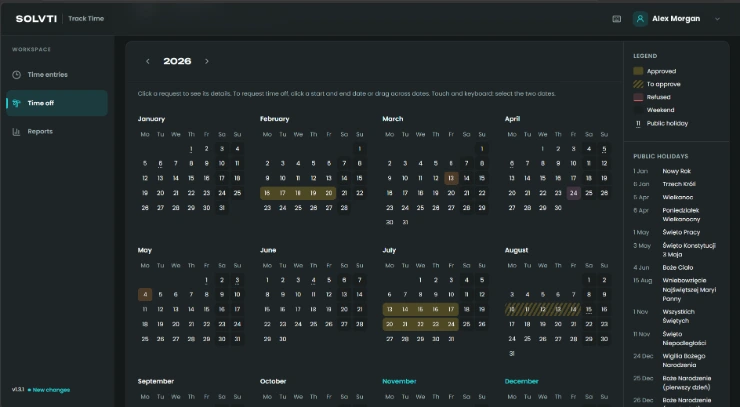
Request time off in seconds
Select the first and last day on the yearly calendar, or drag across the dates. Approved, pending and refused requests are marked with their own colors, and public holidays are listed alongside.
Requests are saved in Odoo Time Off, so your usual approval process applies.
Know where your time goes
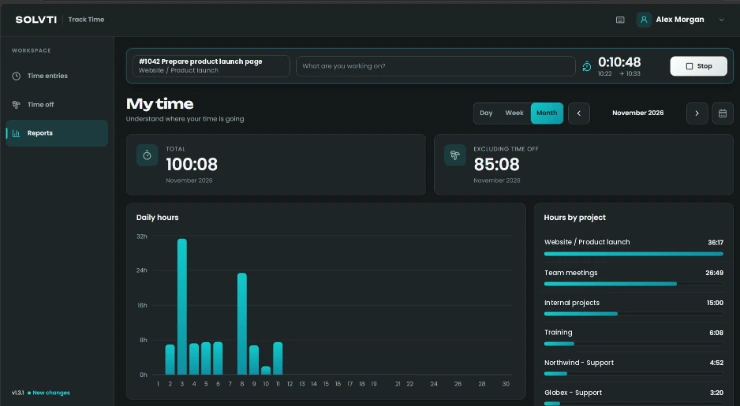
The My time view shows total hours for a day, week or month, the same total without time off, a daily chart and a breakdown by project.
Light or dark, as you prefer
The app comes in a light and a dark version, so it is easy on the eyes whether you work in a bright office or late in the evening.
Fast with a keyboard
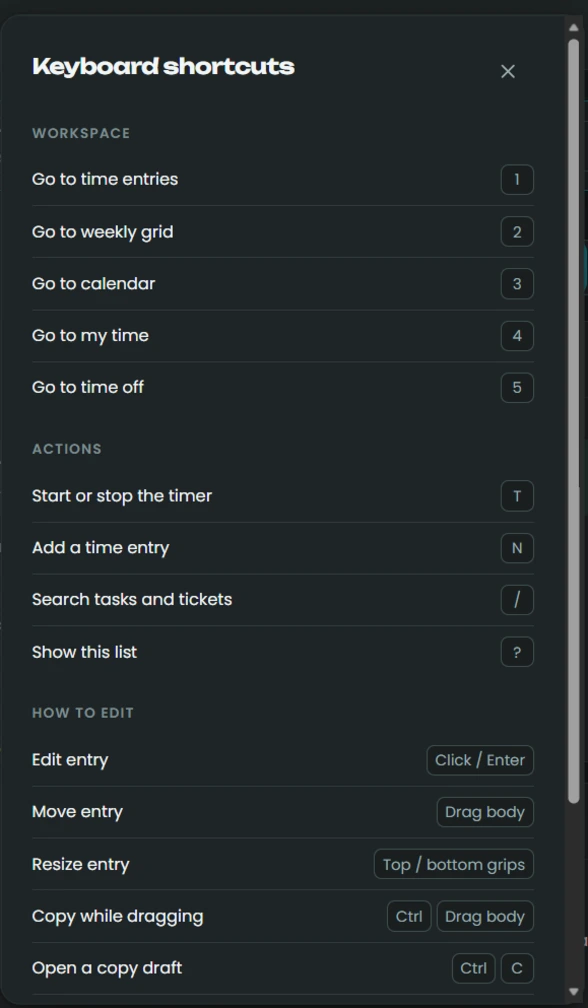
Start or stop the timer with T, add an entry with N and search tasks and tickets with /. Number keys switch between views.
Press ? at any time to see the full list of shortcuts.
Requirements
Odoo
- Odoo Enterprise, on Odoo.sh or your own server
- Timesheets, Helpdesk and Time Off apps (installed automatically)
- A small separate server with Docker and an HTTPS domain for the app
App
- A small server with Docker (1 vCPU and 512 MB RAM are enough)
- A dedicated domain with HTTPS, for example time.yourcompany.com
- Each user needs the Access Time App group and a linked employee
We can set it up for you
Our team installs the module, deploys the app on your domain and configures access for your users.