How it will help you?
The POS - GUS Integration module makes these features available directly in the Point of Sale environment in Odoo.
From POS, users can quickly retrieve company details based on the VAT ID, verify VAT status, and check bank account numbers against the Ministry of Finance whitelist.
This gives POS teams faster access to verified business data, supports compliance, and reduces manual work and errors.
Please note: The POS - GUS Integration module depends on the GUS module.
This means that GUS module must be purchased and installed for the POS integration to function.
Features Configuration Support FAQ
Module highlights
VAT Status Verification
Verification of VAT status (active, exempt, or not registered)
Bank Account Whitelist Verification
Retrieval and comparison of bank account numbers with the Ministry of Finance whitelist
Company Data Autocomplete
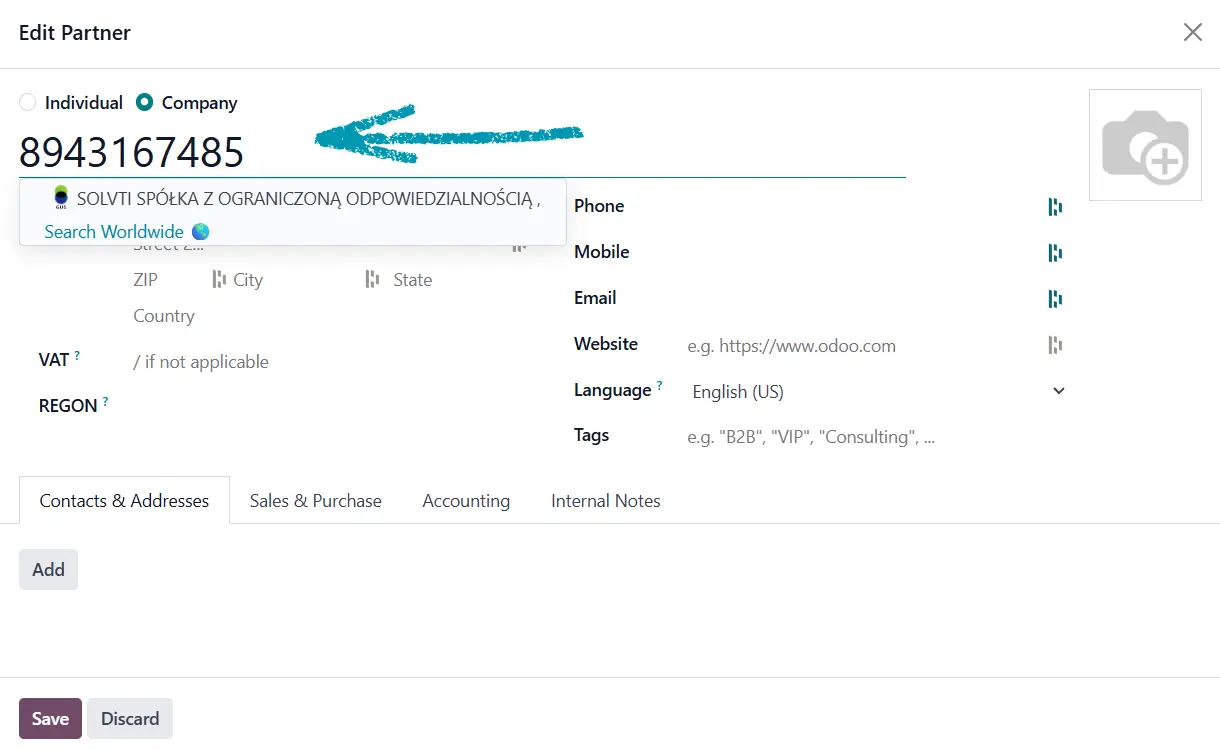
Automatic completion of company details based on NIP (VAT ID)
Bulk VAT Verification
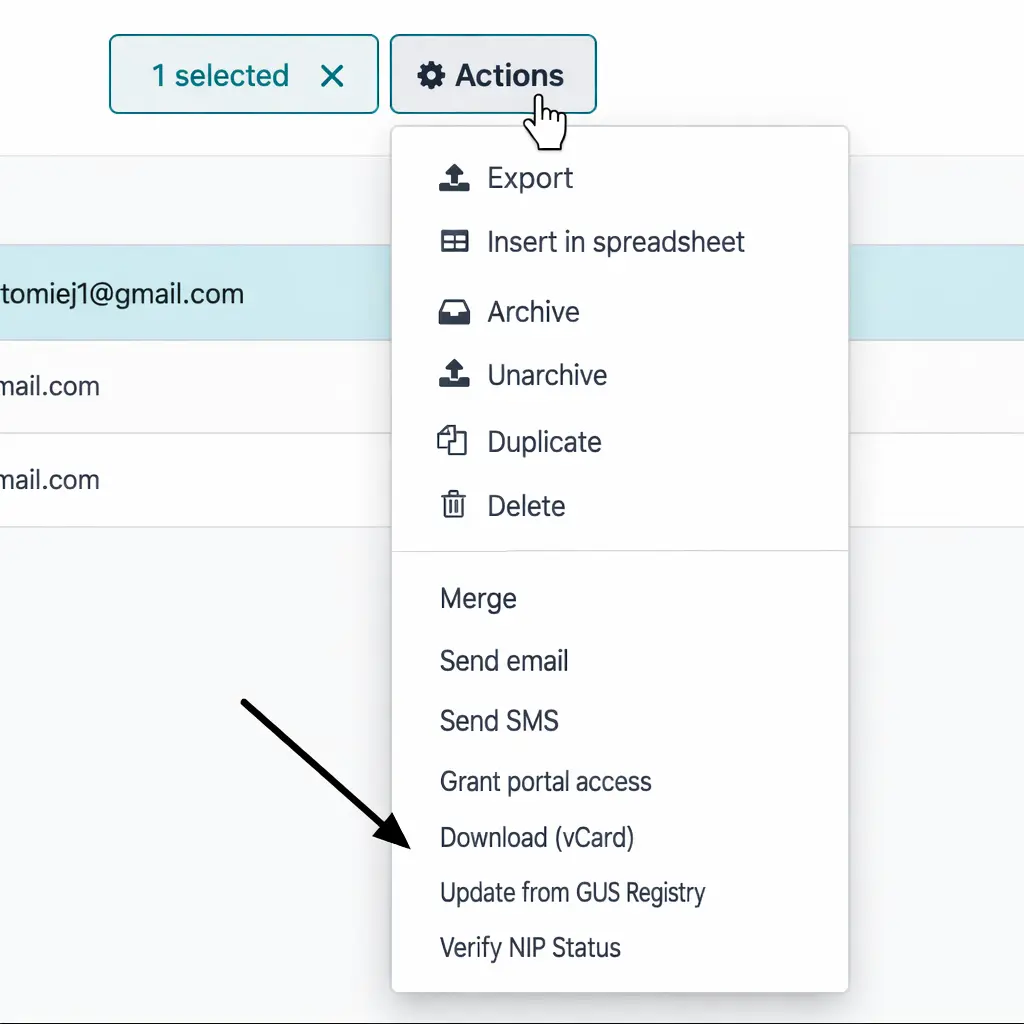
Batch processing for VAT verification of multiple partners
POS
In the POS module, enter the customer’s NIP directly in the customer form. Don't forget to click "Company" type of contact. The system will automatically fetch company details from GUS, making the checkout faster and more reliable.
Downloaded the Module?
Here’s What to Do Next
To start using the GUS integration, you’ll need to obtain a User Key. The process is simple – just click and send a pre-filled email.
Fill in the required information directly in the email template, and the authorities will take care of the rest.
You can also prepare the email manually by entering the required information yourself.
To do so, visit GUS website, where you’ll find all necessary details
Configuration
Install the module in your Odoo instance
Go to Settings in your Odoo instance.
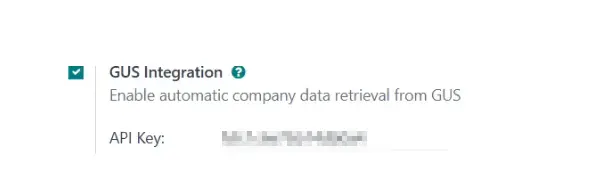
Enable the option by clicking the checkbox next to GUS Integration.
Enter your GUS API key (obtained from the official GUS service)
Support
If you have any questions or encounter issues with the GUS module, please contact us via email at support@solvti.com.
Our team will be happy to assist you!
FAQ
Frequently asked questions
Yes, queries to the Ministry of Finance database are made online, and VAT status is updated immediately.
Yes, the module offers a batch verification function, which can be triggered manually from the partner list view.
In that case, the system will not suggest any data to fill in, and the user will be informed that no results were found.
Yes, the data can be manually edited after import – the module does not lock the fields.
You can obtain the API key by registering on the official website of the Polish Central Statistical Office (GUS): https://api.stat.gov.pl/Home/RegonApi
After registration, submit a request for access to the BIR (REGON Internet Database) service. Once approved, you will receive your individual API access key.
No. After importing contacts that contain only the VAT ID (NIP), you need to select the partners in the contacts list and use the fetch data from GUS option. The system will then automatically complete the company details based on the VAT ID.