
The basic KPIs Odoo provides out of the box
Let’s start with the core point — Odoo comes with many built-in indicators that you can use right away. The system is not just a repository of transactional data, but above all an analytical tool, which is why the most important KPIs are available without any configuration.
Now let me show you how this works in practice.
KPIs in the Odoo Sales module
Let’s take a look at how this works in the Sales module. To access the basic indicators, go to the Sales module and select Reporting from the top menu.
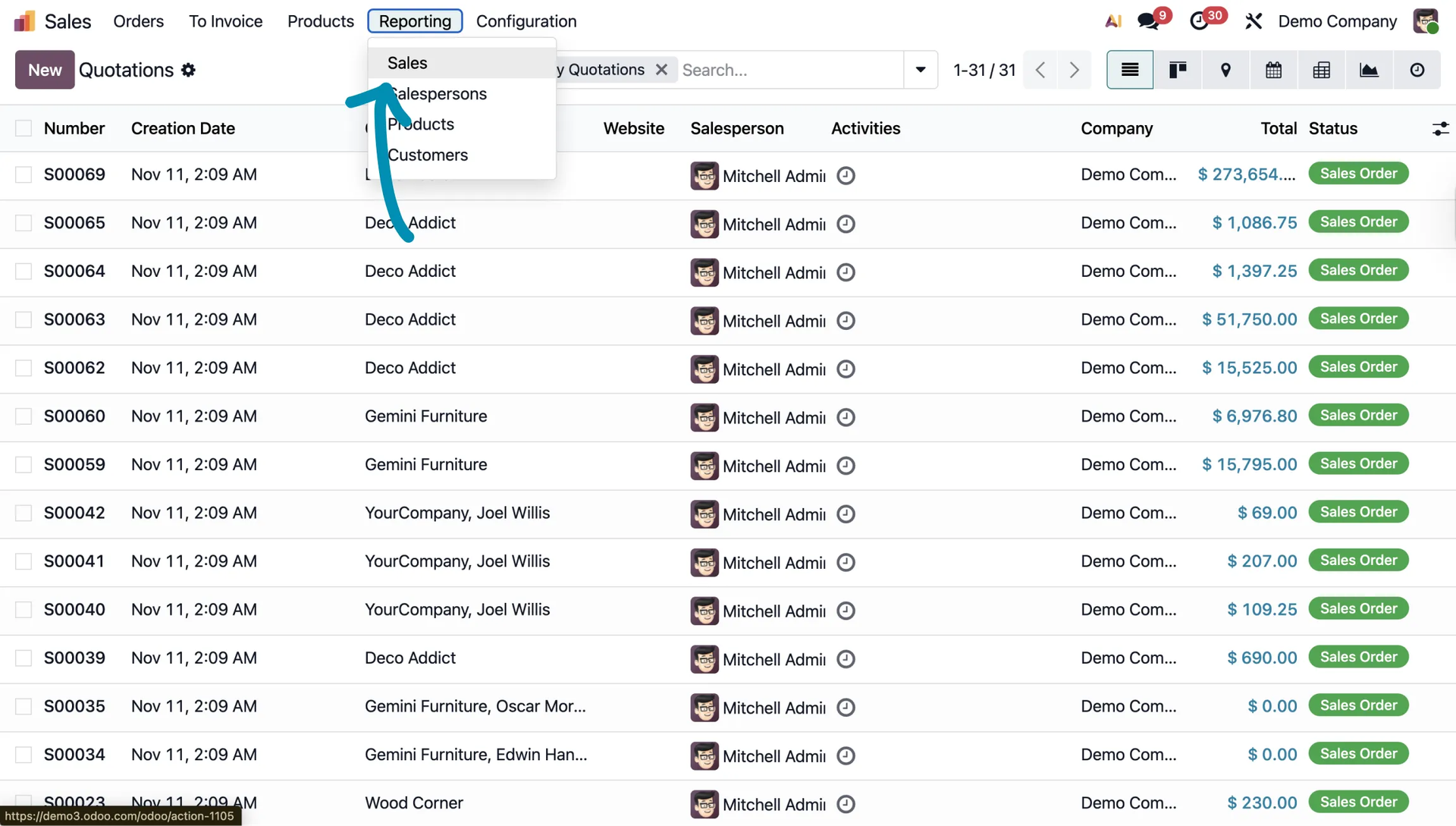
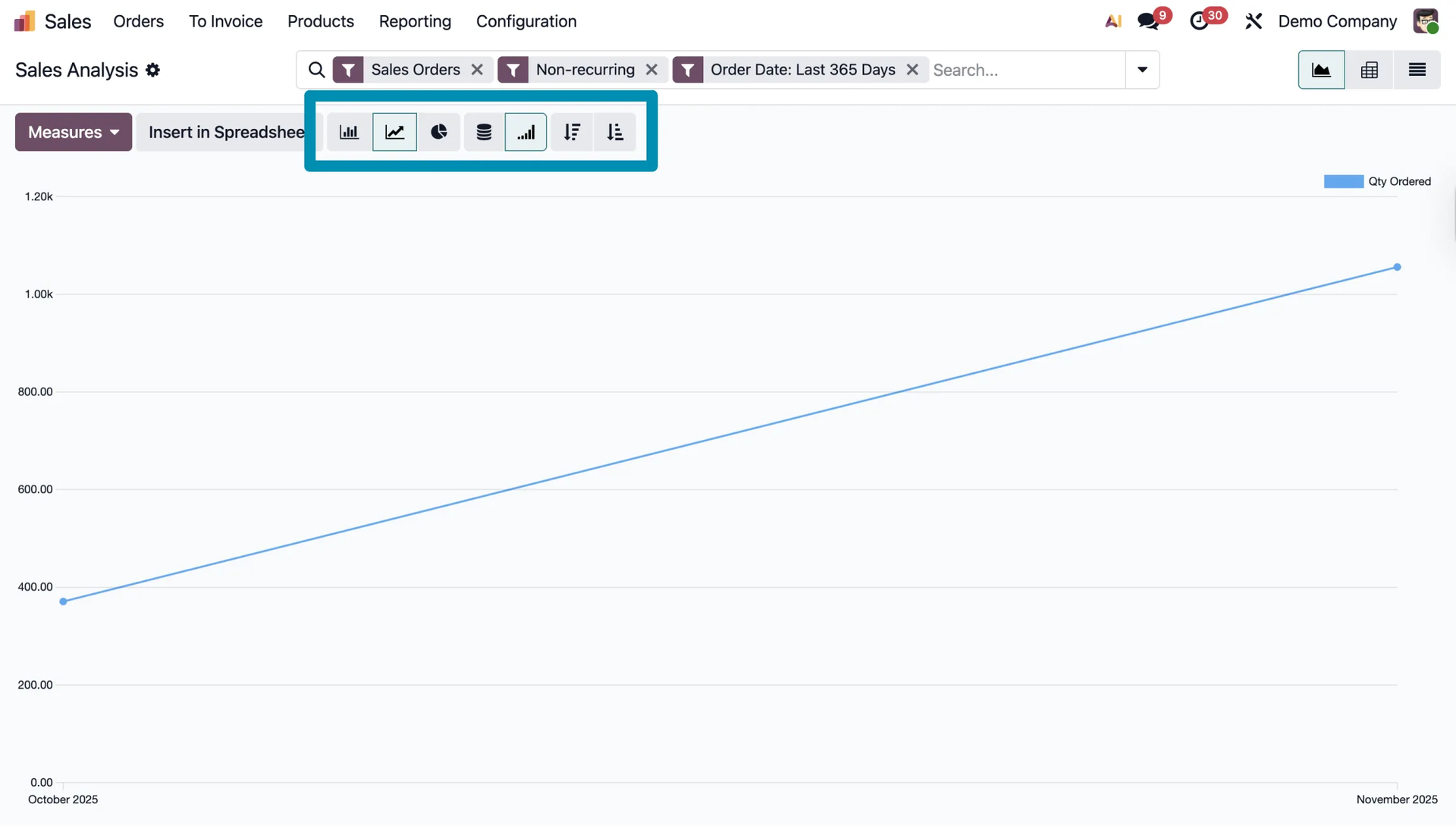
Graph view
By default, you will see charts visualizing your sales. You can switch between different chart types, such as line, bar, or pie charts.
Pivot table
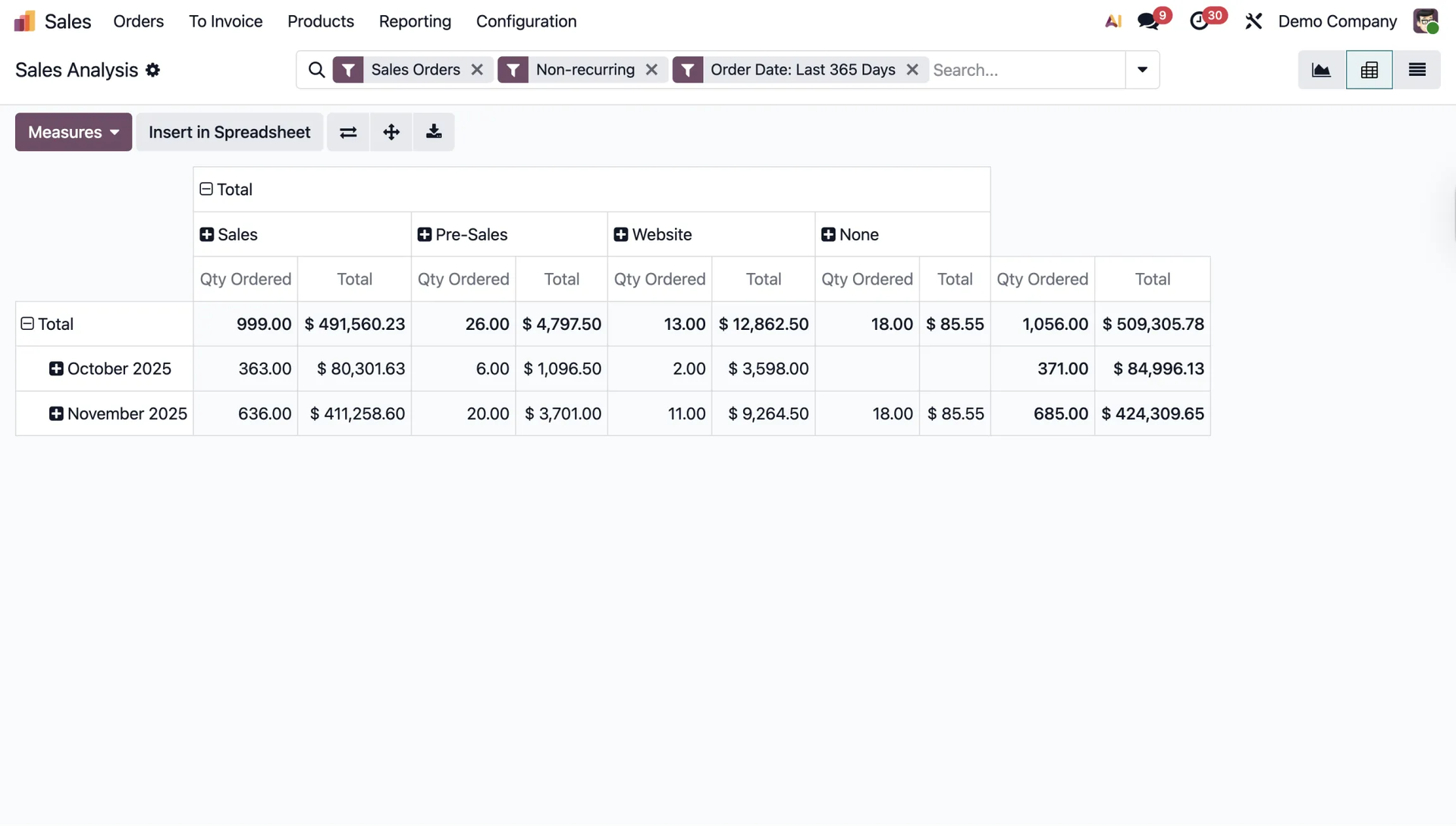
The key analytical tool is the pivot table. It shows sales analysis by teams, medium, stage or months.
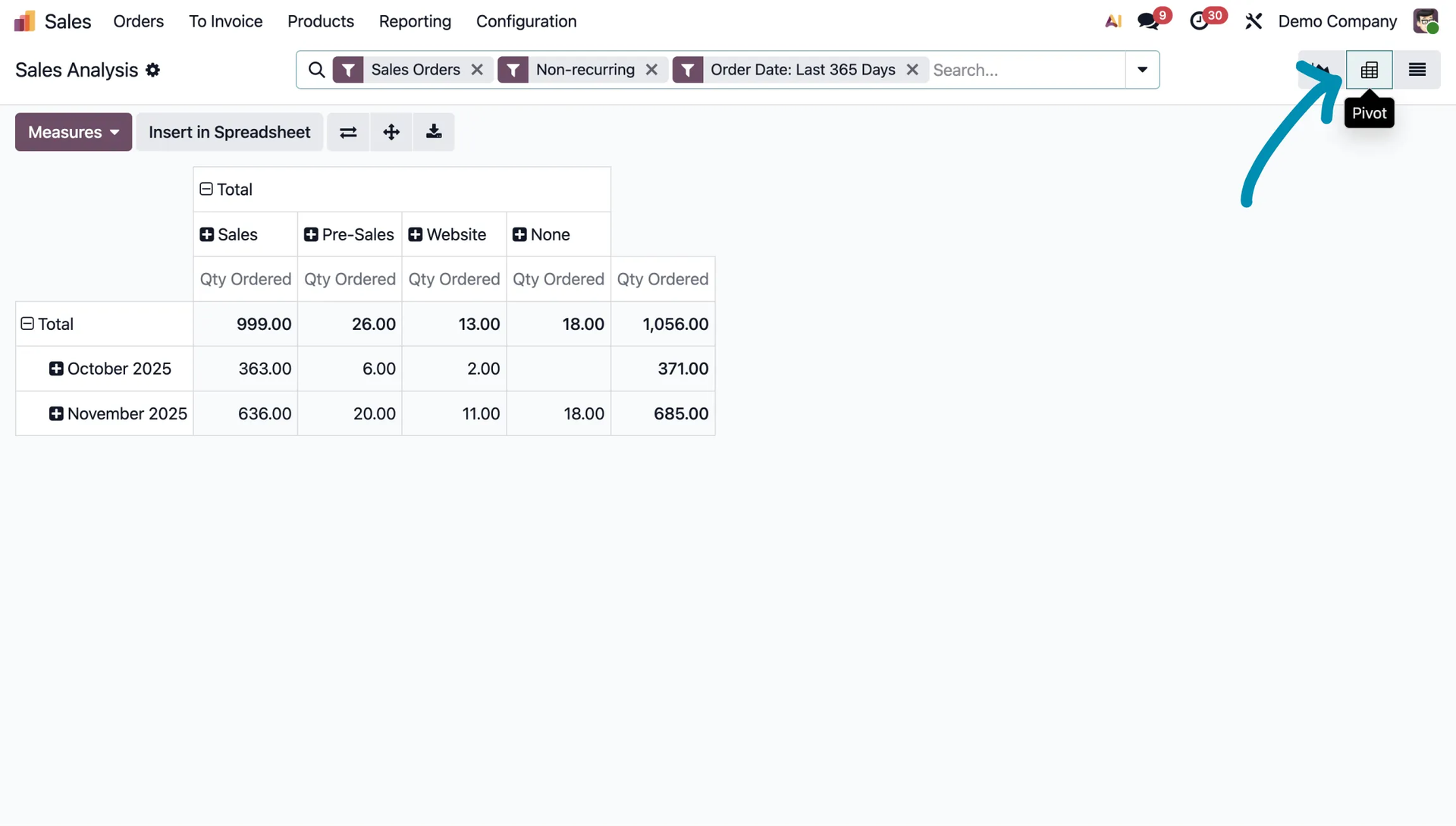
It is a very useful tool.
From this view, you can also do things like add metrics by clicking the Measures button and selecting the metrics you are interested in, such as Total.
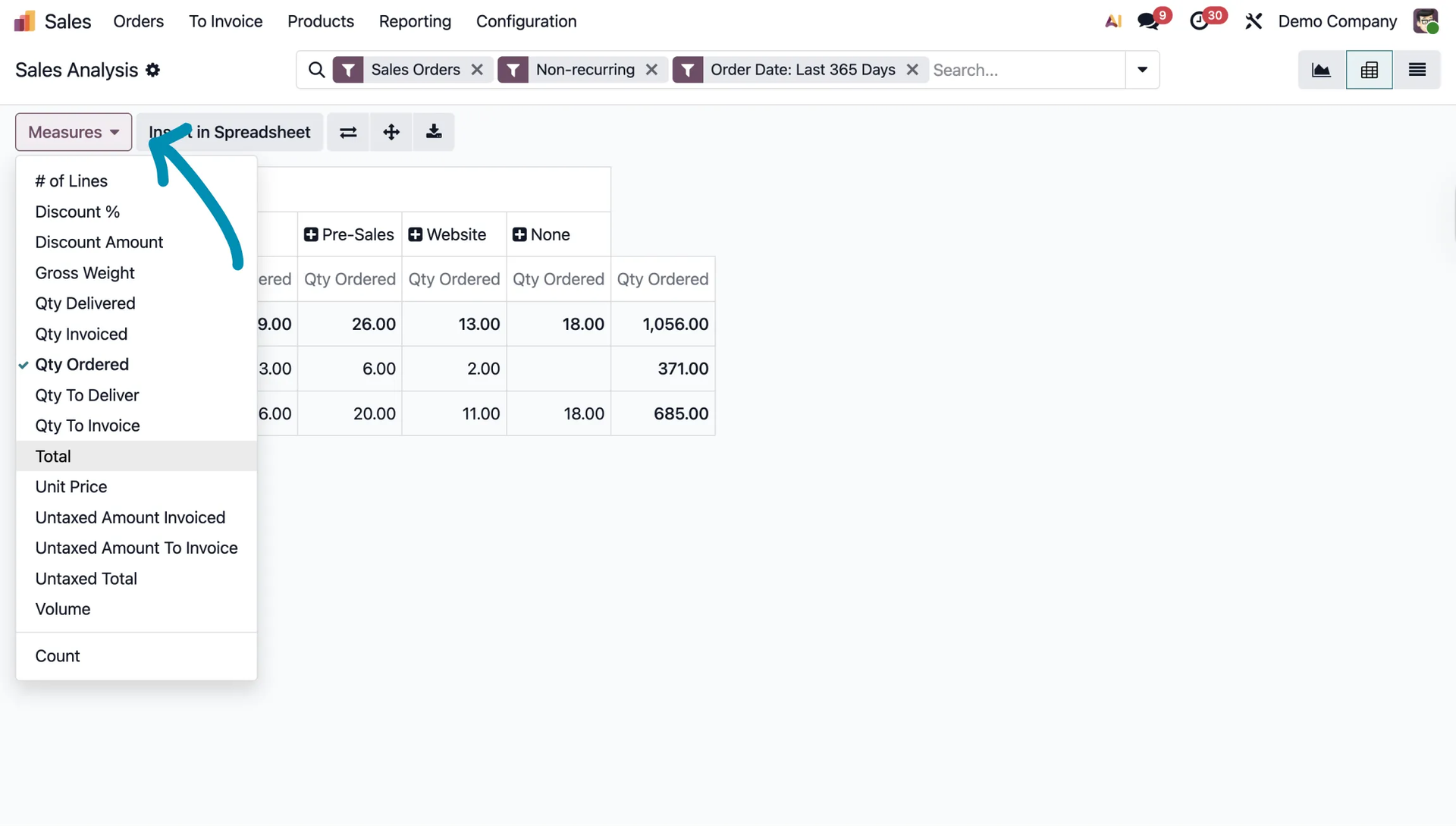
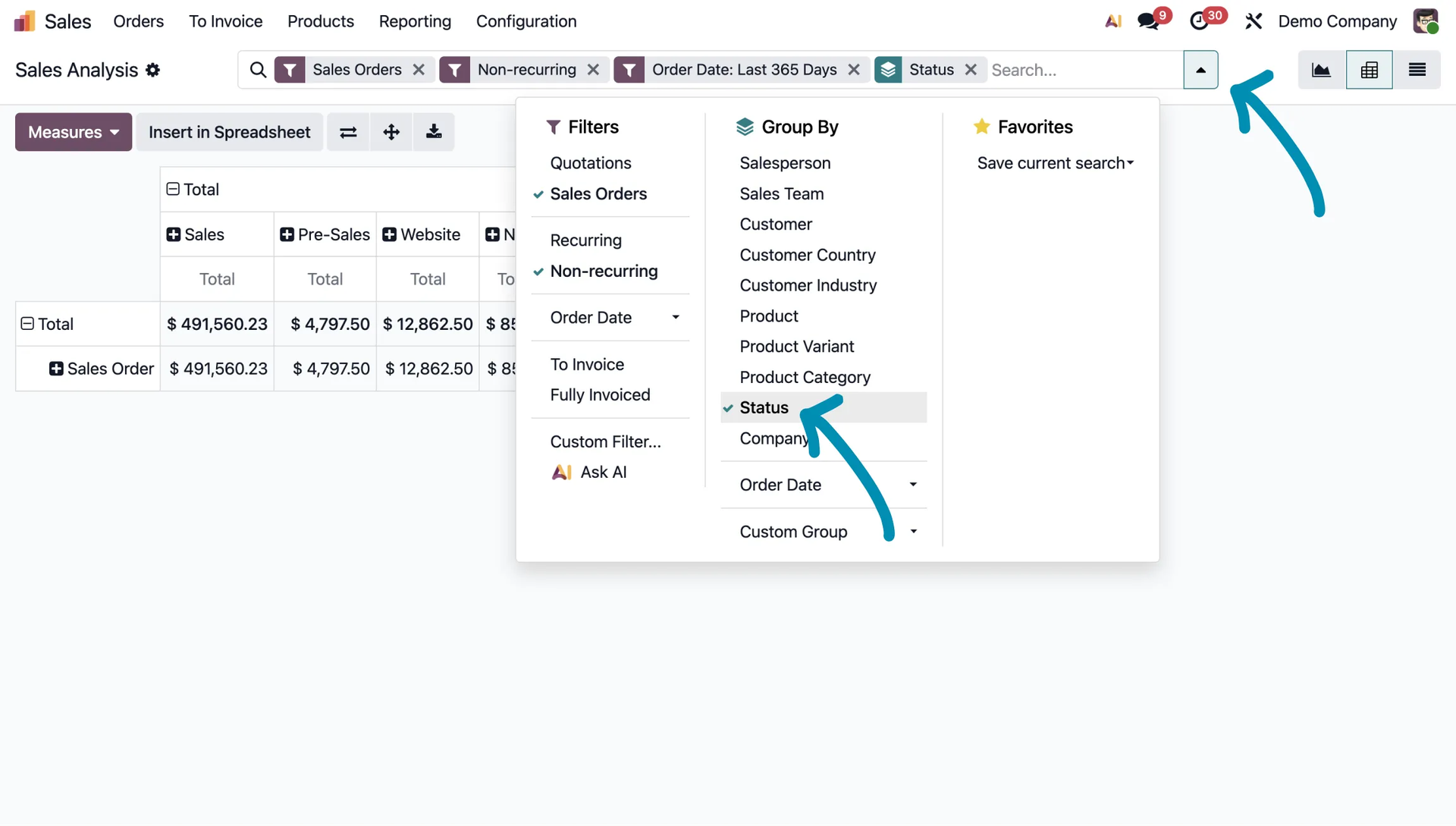
Additionally, you can use filters, which helps even more with organizing and interpreting the data. For example, you can filter orders by status.
Salesperson performance reports
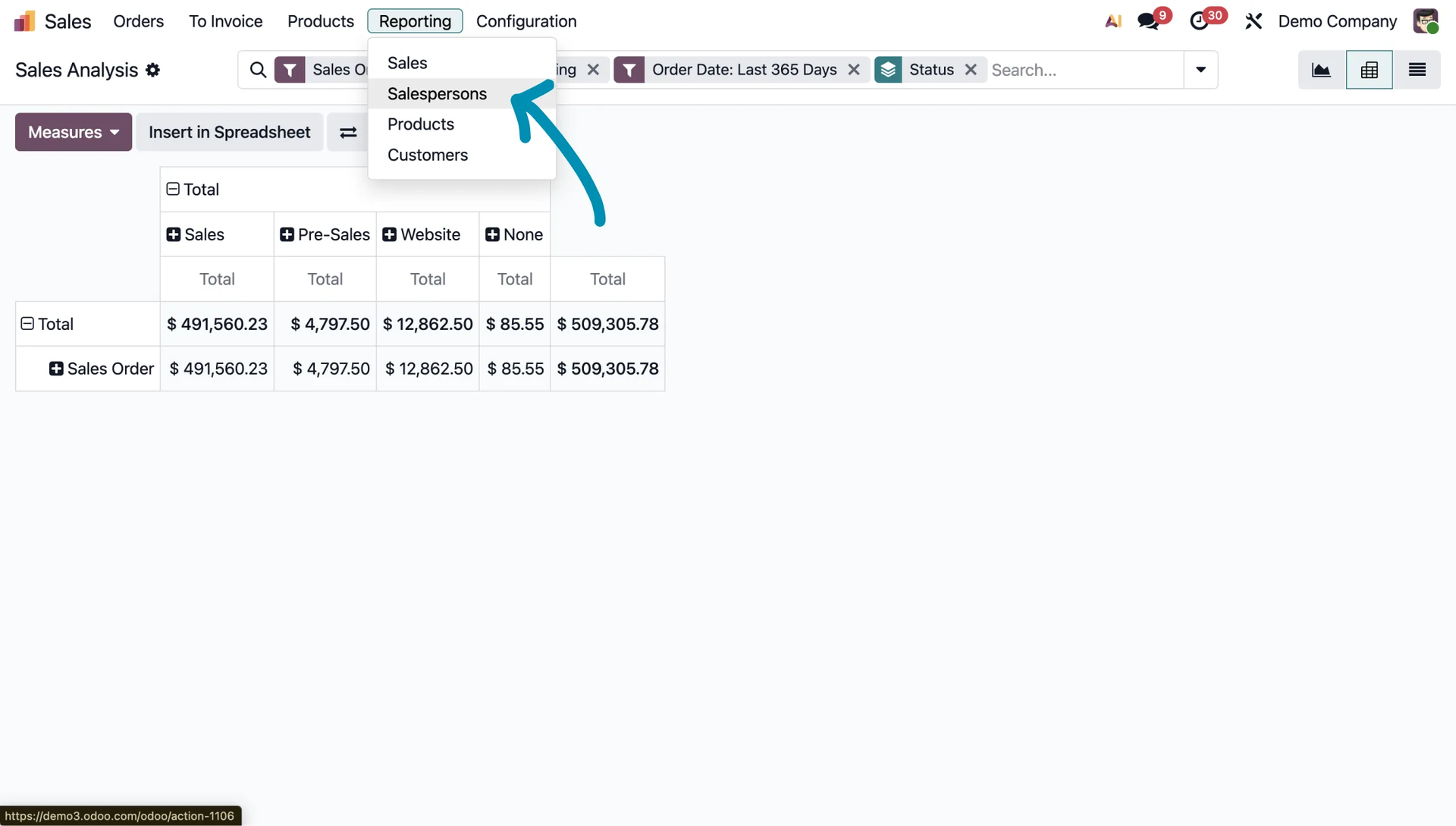
Odoo also makes it easy to track the performance of individual salespeople.
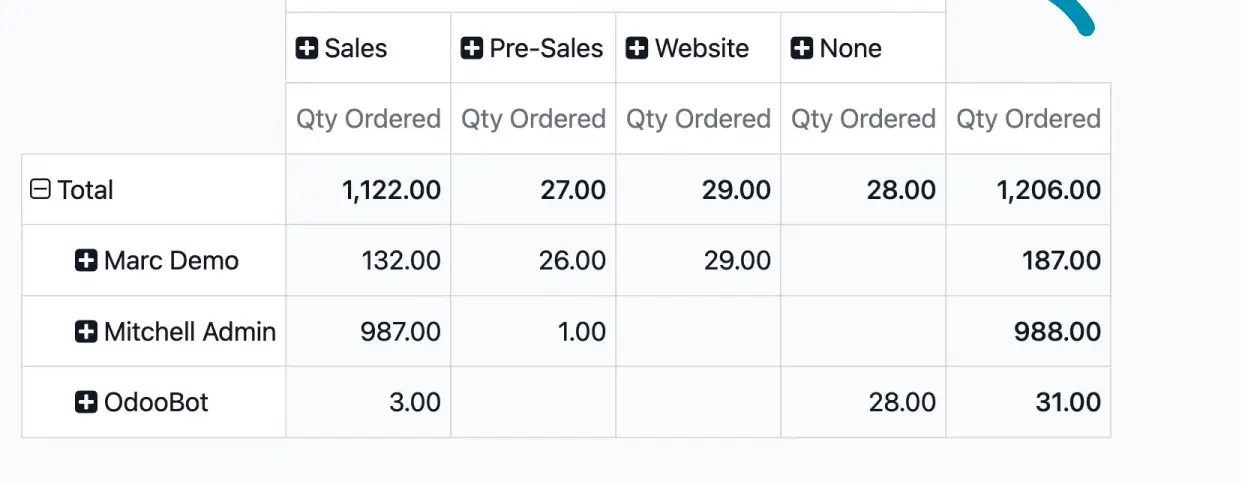
Using the pivot table and the Measures button, you can quickly check the total sales value generated by a given employee.
Customer reports
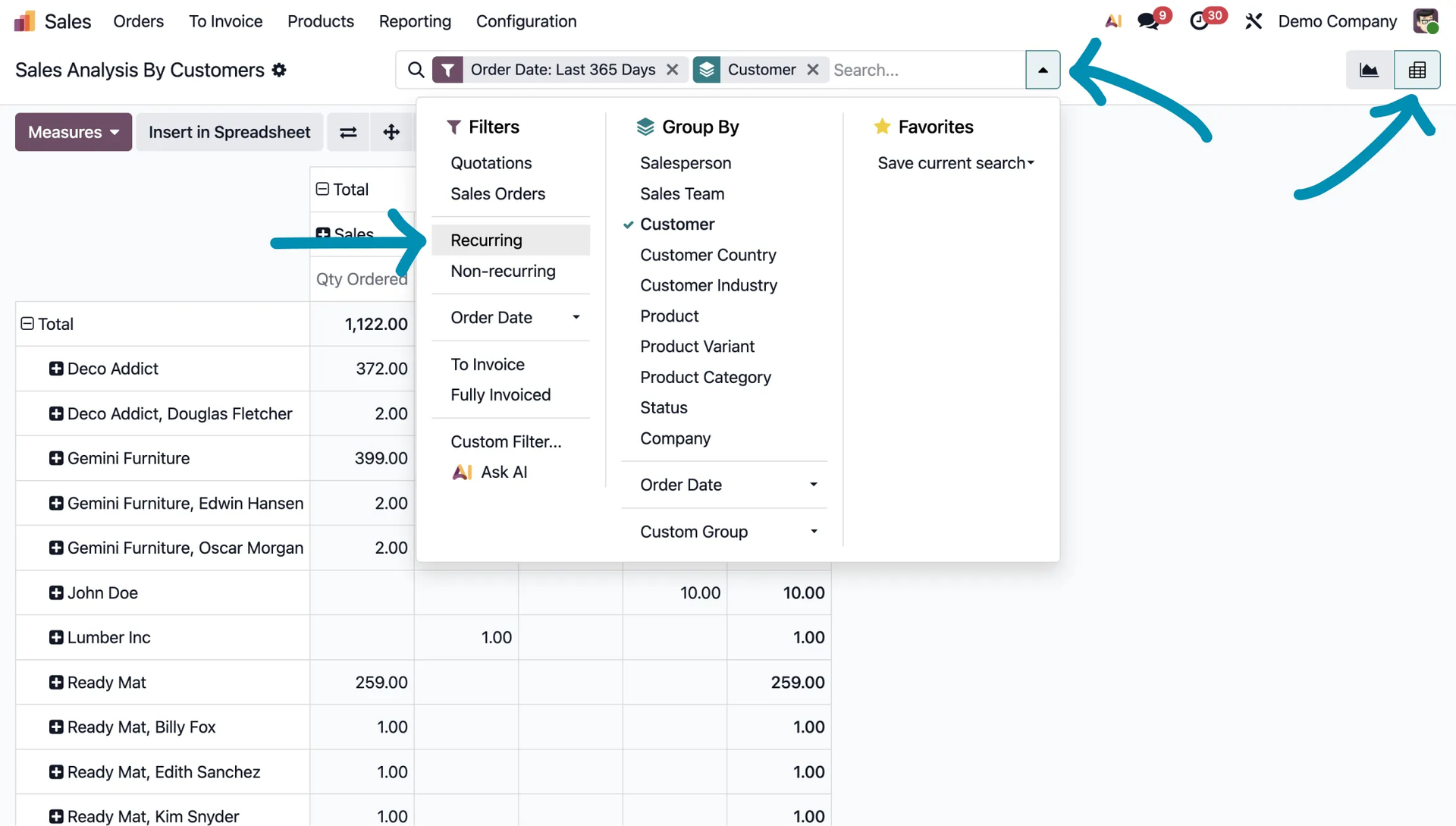
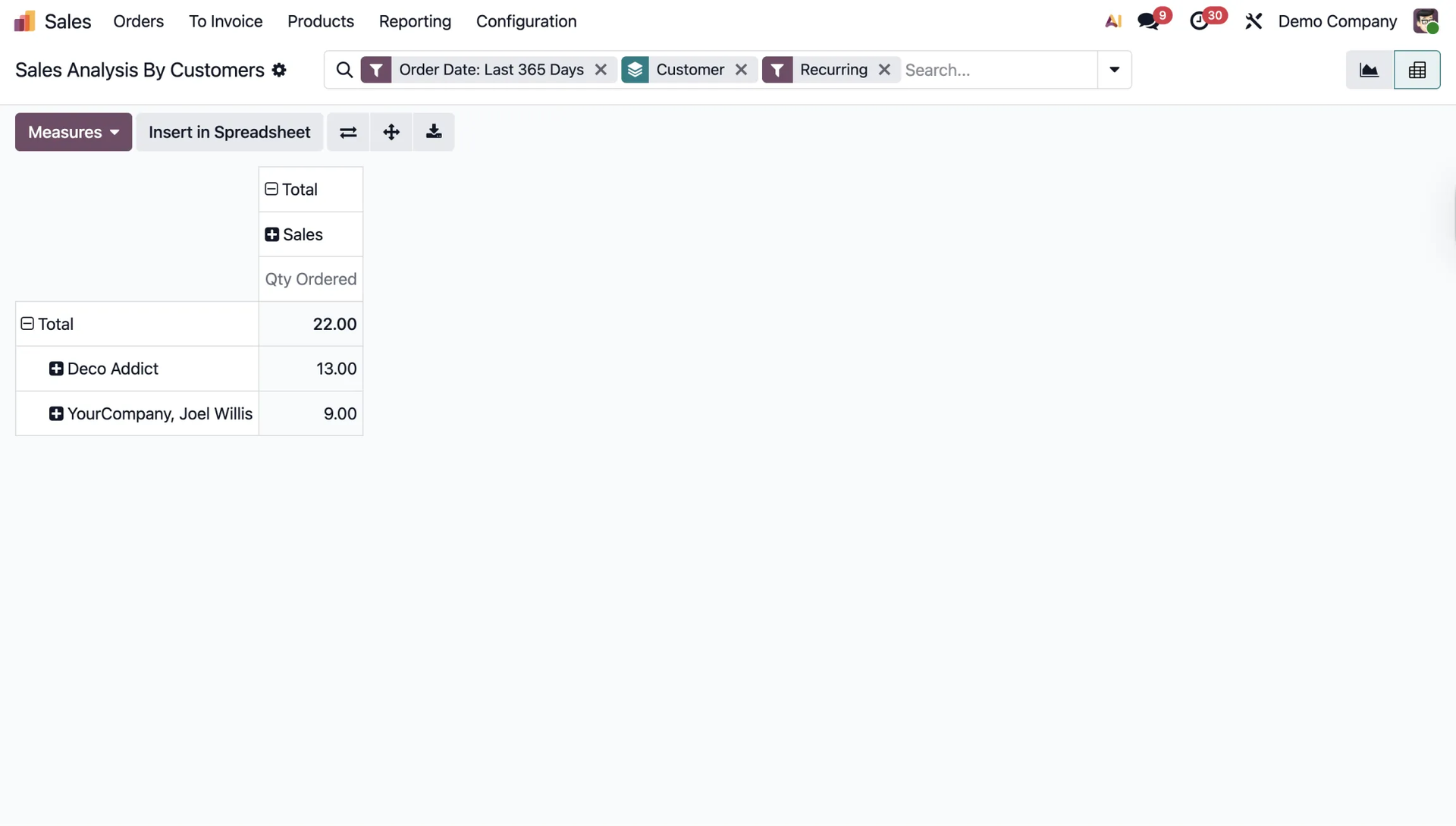
Understanding customer behavior is a key KPI. Odoo, of course, also provides detailed insight into data in this area.
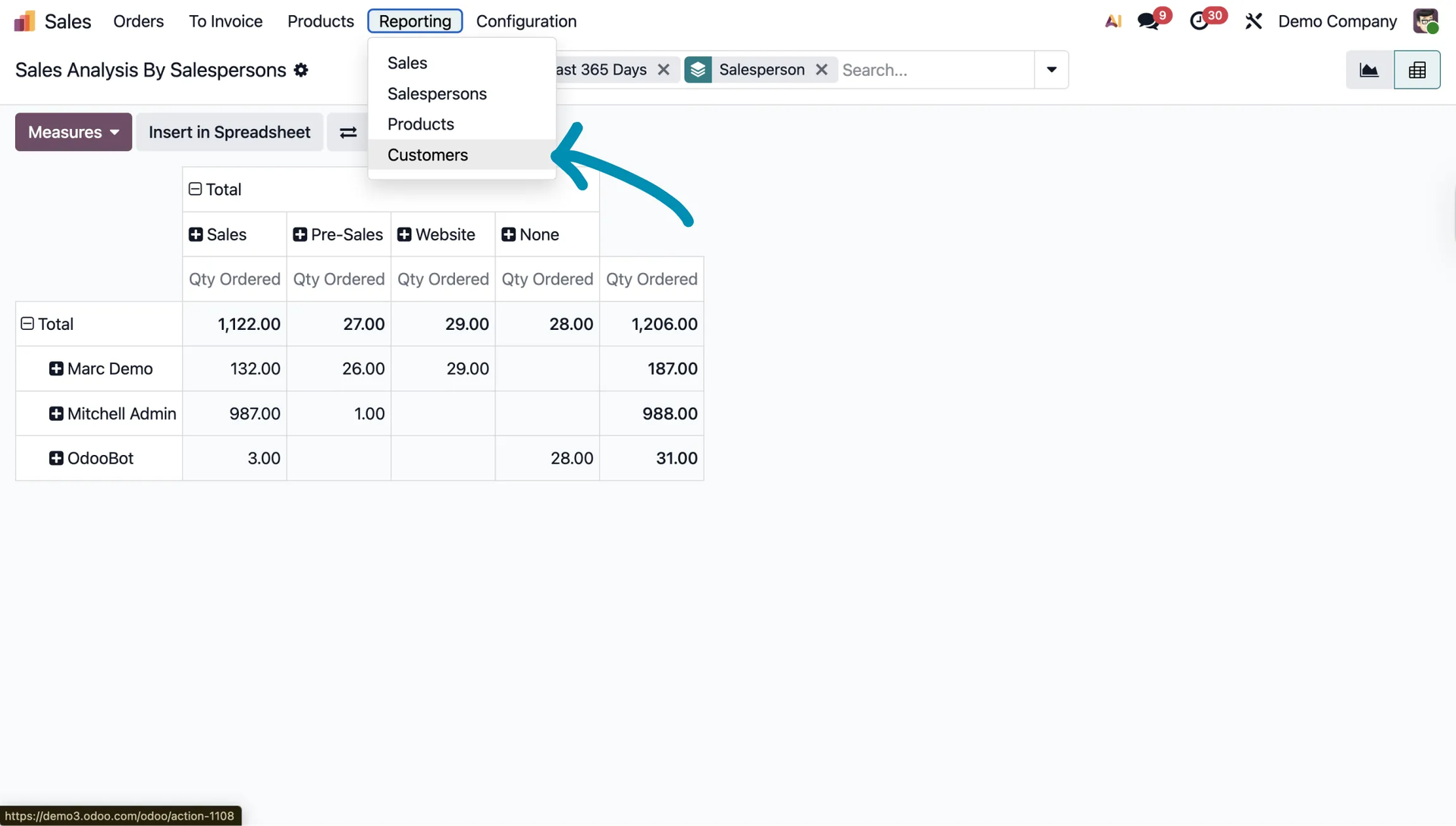
In the Customers report, you can check, among other things, the number and value of orders and use filters, such as the Repeat filter, to get a detailed picture of their activity.
Centralizing and Automating KPIs in Odoo
Dashboards and Summaries
Generating reports manually is useful, but Odoo also offers tools for centralizing and automating the most important indicators, allowing managers to make quick decisions.
You will find all of this in the Dashboard module.
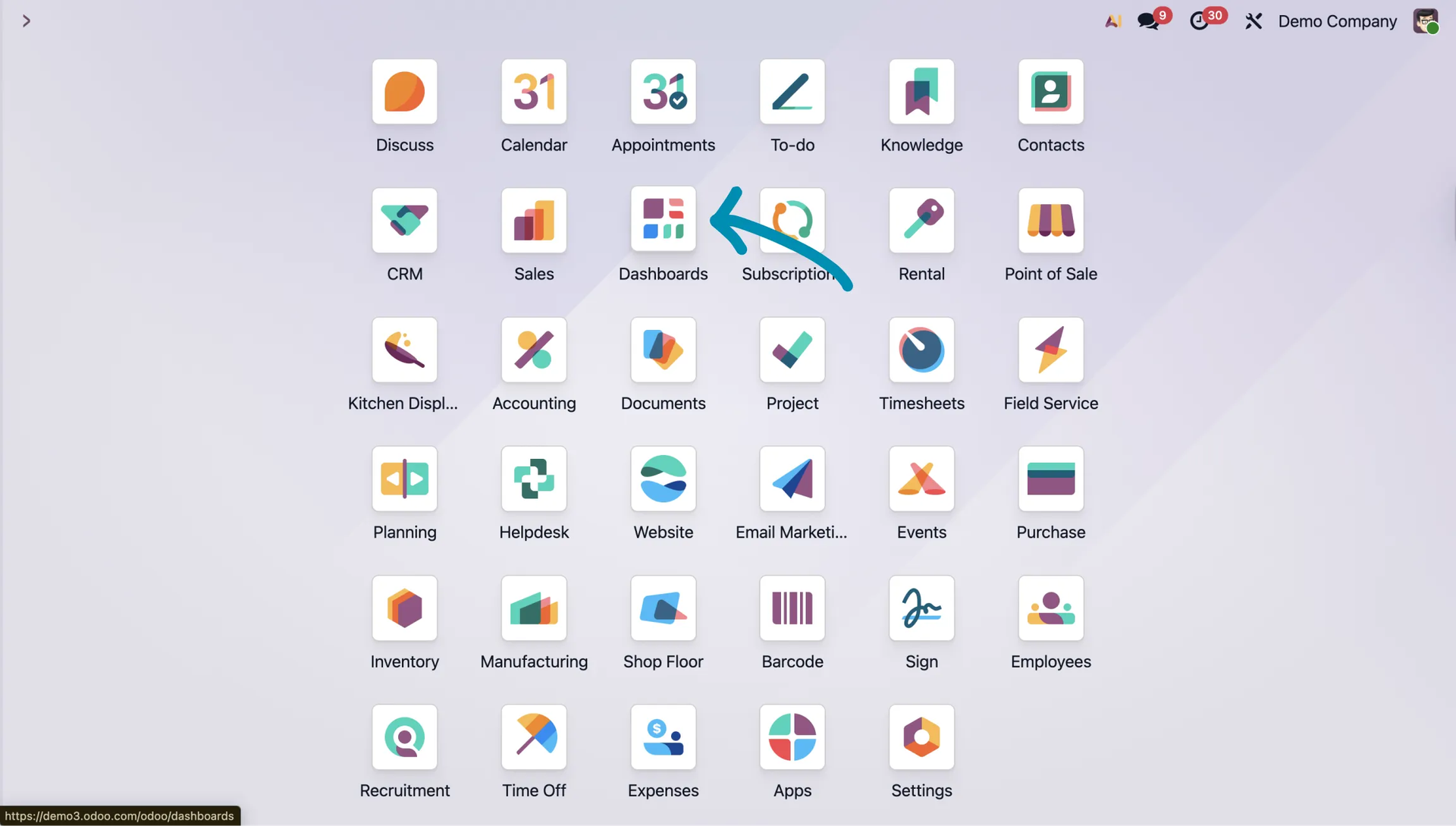
There, you will find a lot of useful data available instantly, which you can also filter yourself if needed.
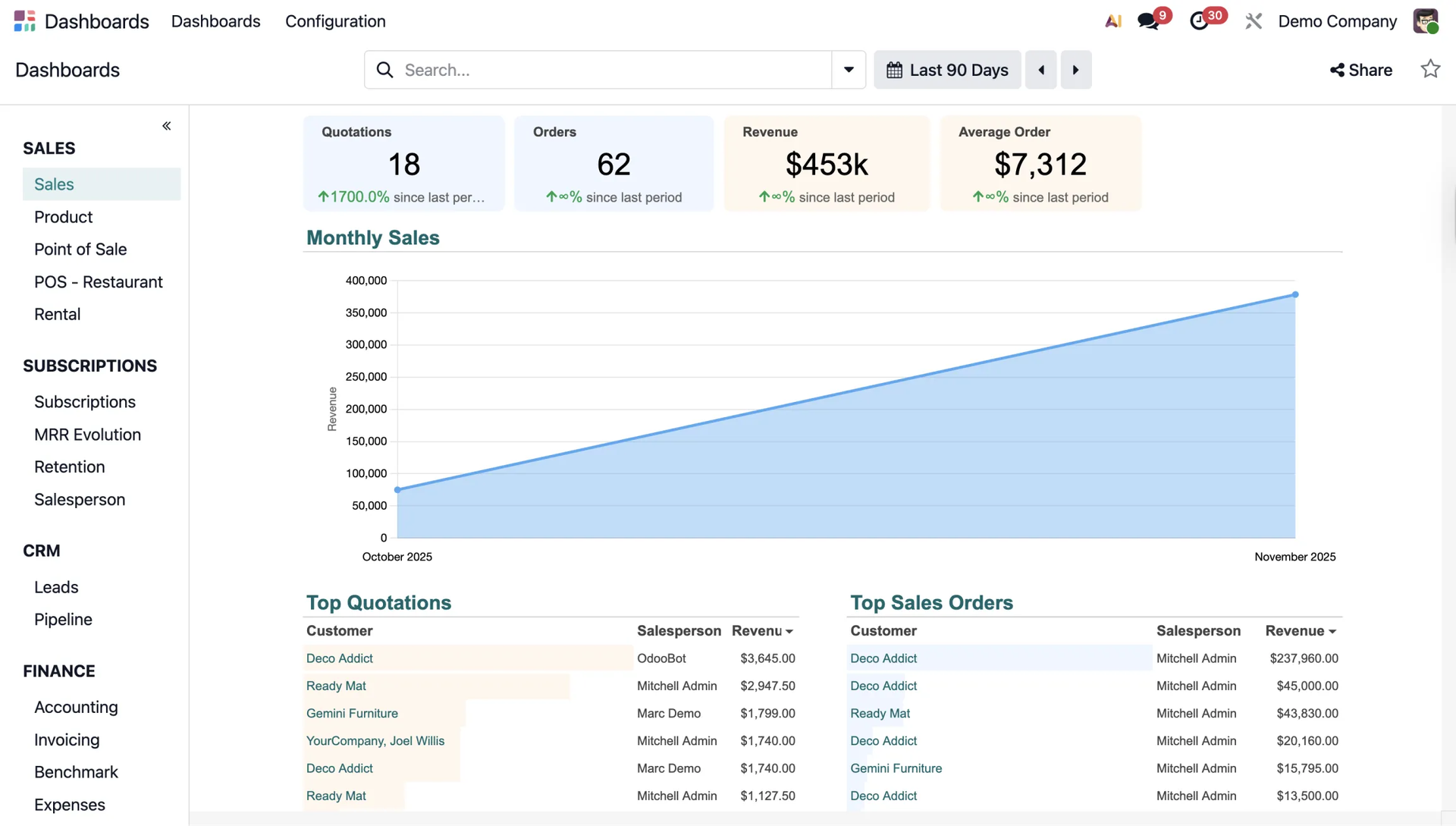
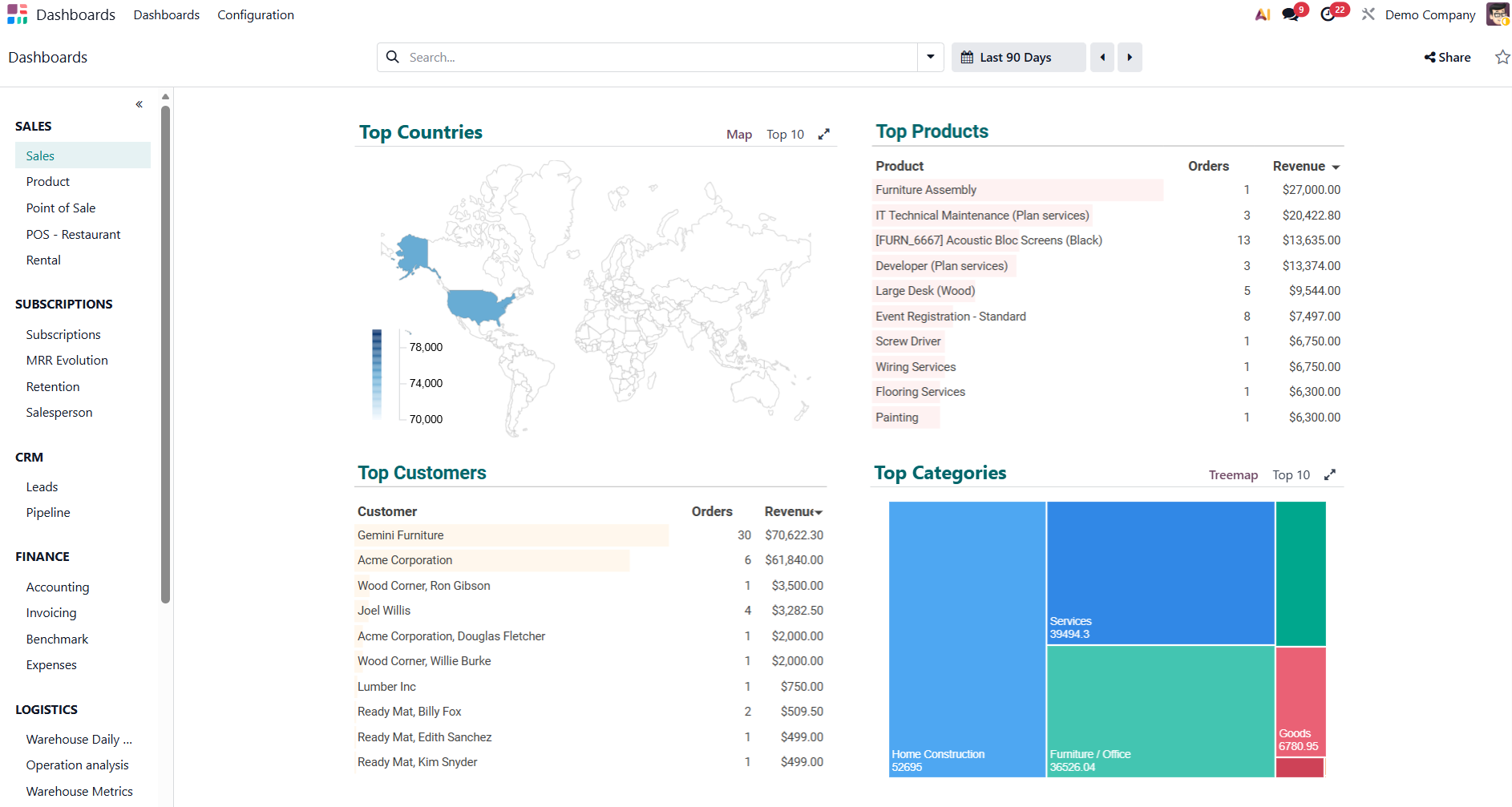
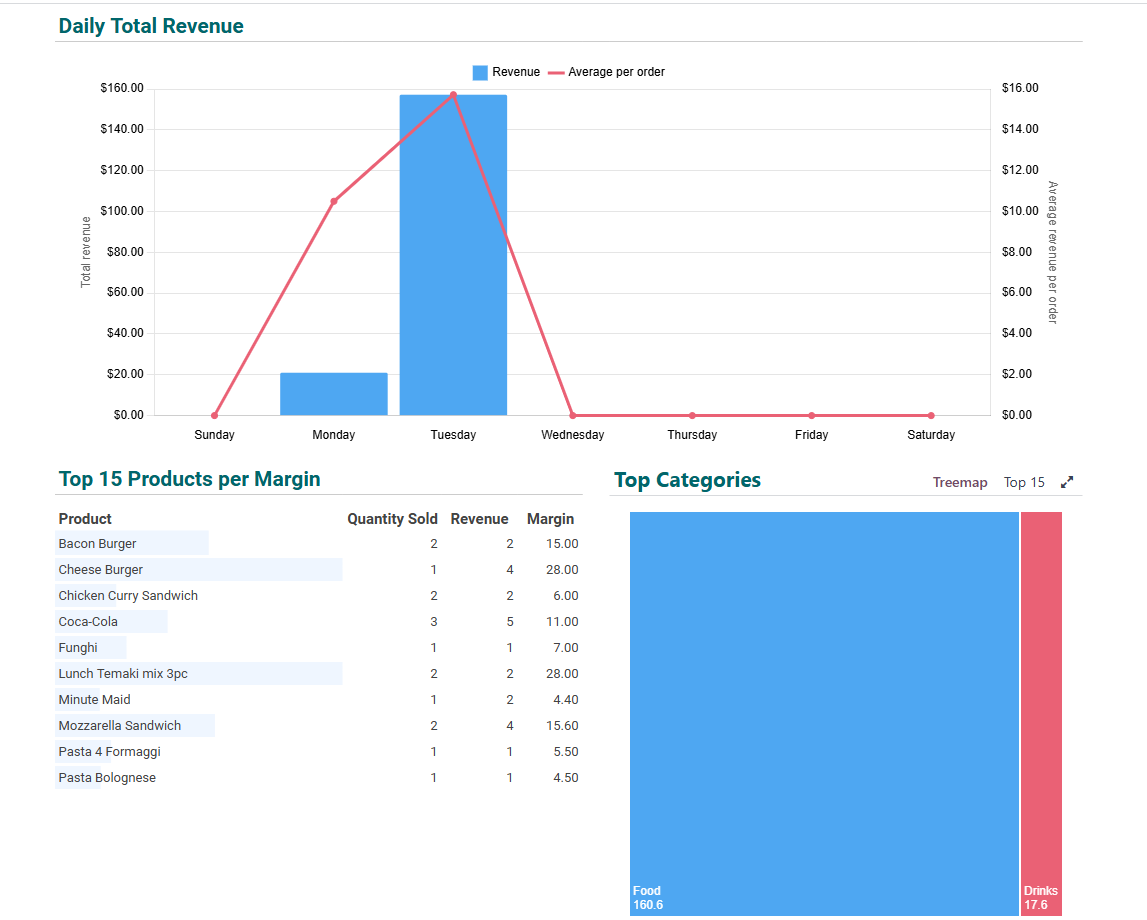
Automatic email summaries in Odoo
For people who do not log into the system every day, such as investors or executives, Odoo allows you to configure automatic notifications.
To do this, go to the Settings module.
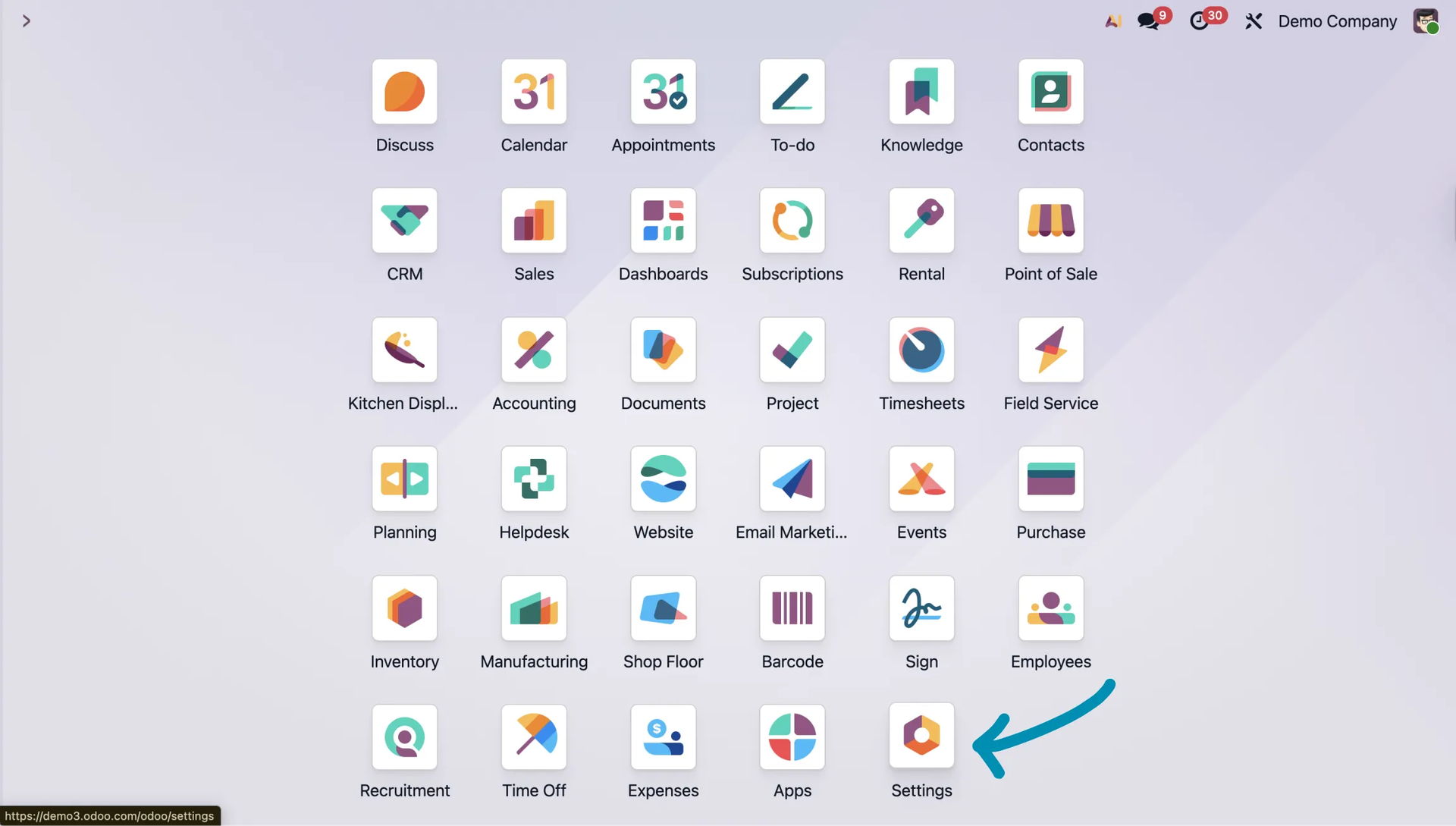
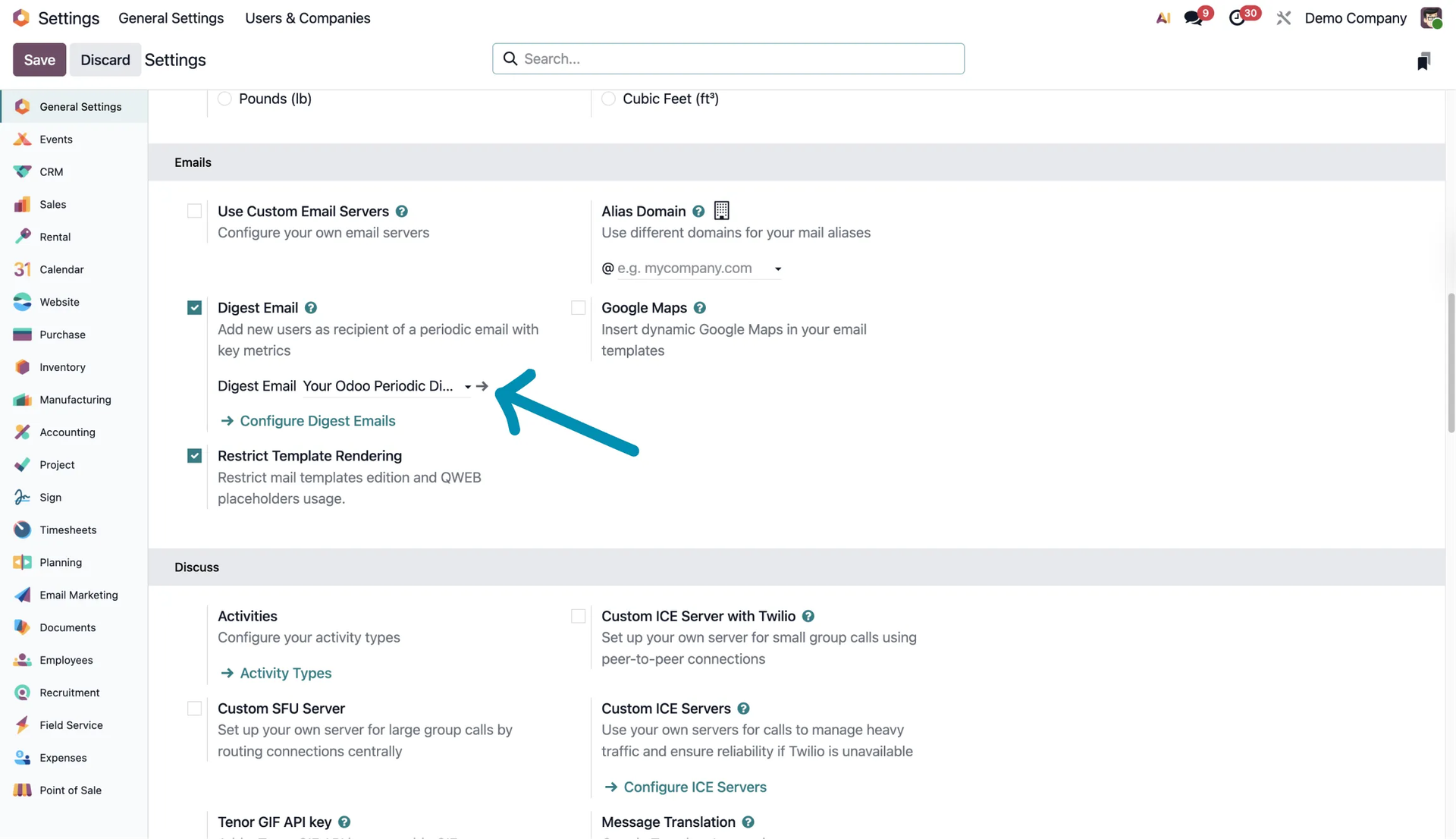
Scroll down, enable Digest Email, and save the changes.
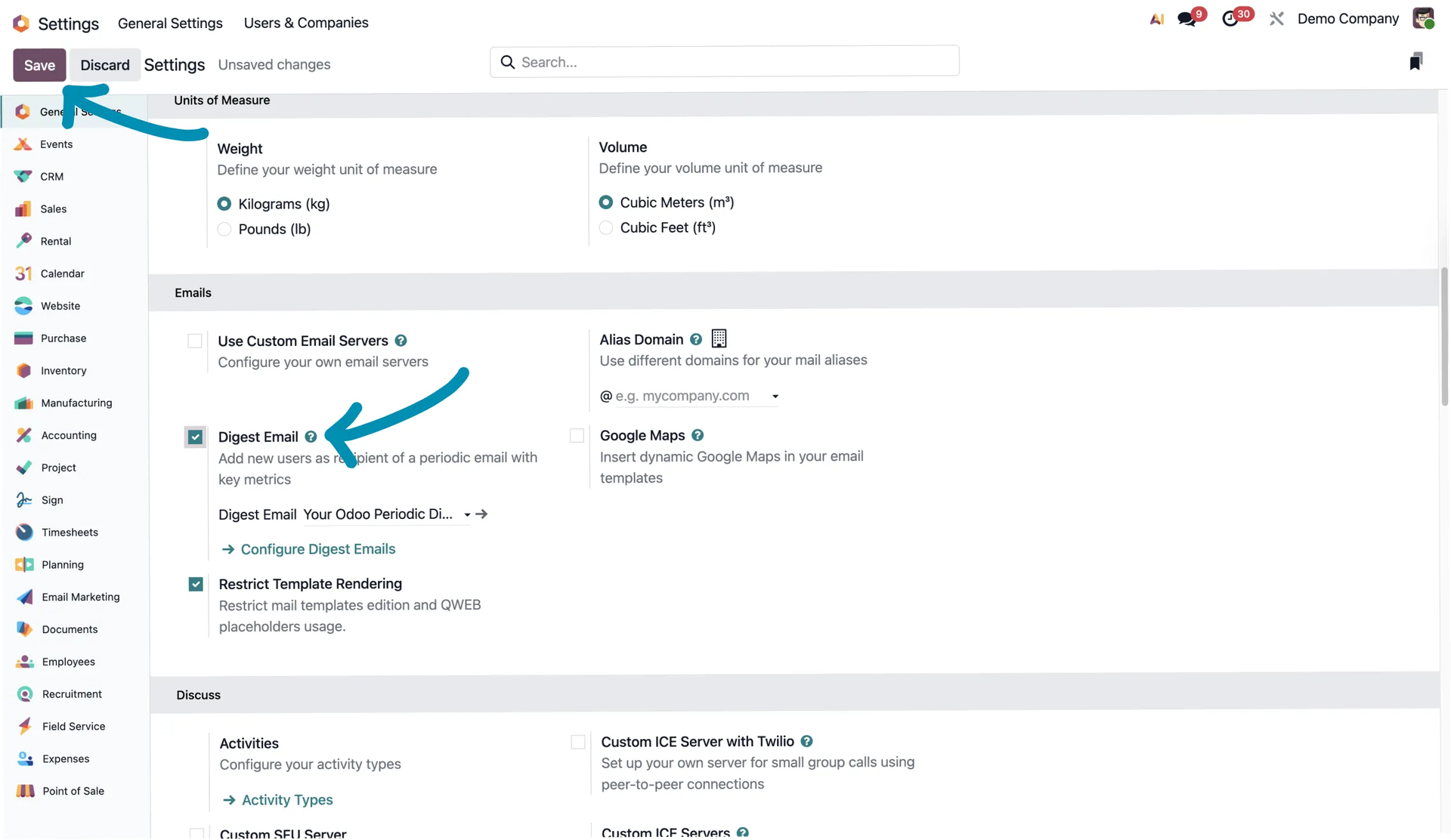
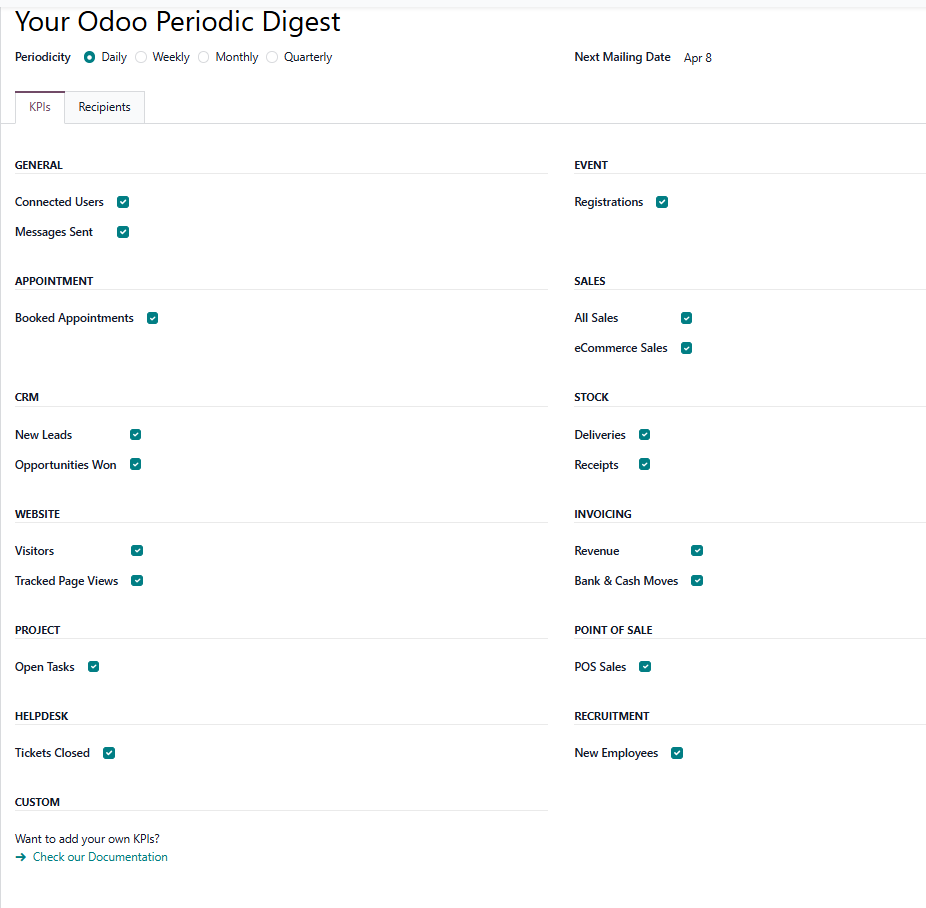
Later, in the settings, you can change the information, recipients, and other elements that will appear in the emails.
Summary
Odoo is truly a solid tool for working with data. Many KPIs are available out of the box, and even more can be configured by yourself.
What I have shown in this article is only a small part of what KPIs in Odoo are all about. Odoo is a powerful system with many possibilities.
Would you like to learn more about KPIs in Odoo? Try the online Odoo Demo, where you can quickly and freely check for yourself how Odoo works.
If you are looking for someone who can help you or advise you on Odoo, contact us. Solvti is an Odoo expert, and we will be happy to advise you on anything related to this topic.