Module highlights
Project Synchronization
Create a project in Odoo and send it to Clockify with a single click.
Task Synchronization
Tasks can be synchronized in the same way. This ensures a consistent structure across both systems and allows users to track time on the correct tasks.
Task Status Synchronization
When a task in Odoo is marked as Done and synchronized, its status in Clockify changes to Inactive, preventing further time tracking on completed tasks.
Create and sync projects with Clockify
This keeps both systems aligned and makes it easier for your team to track time on the correct projects and tasks without manual setup.
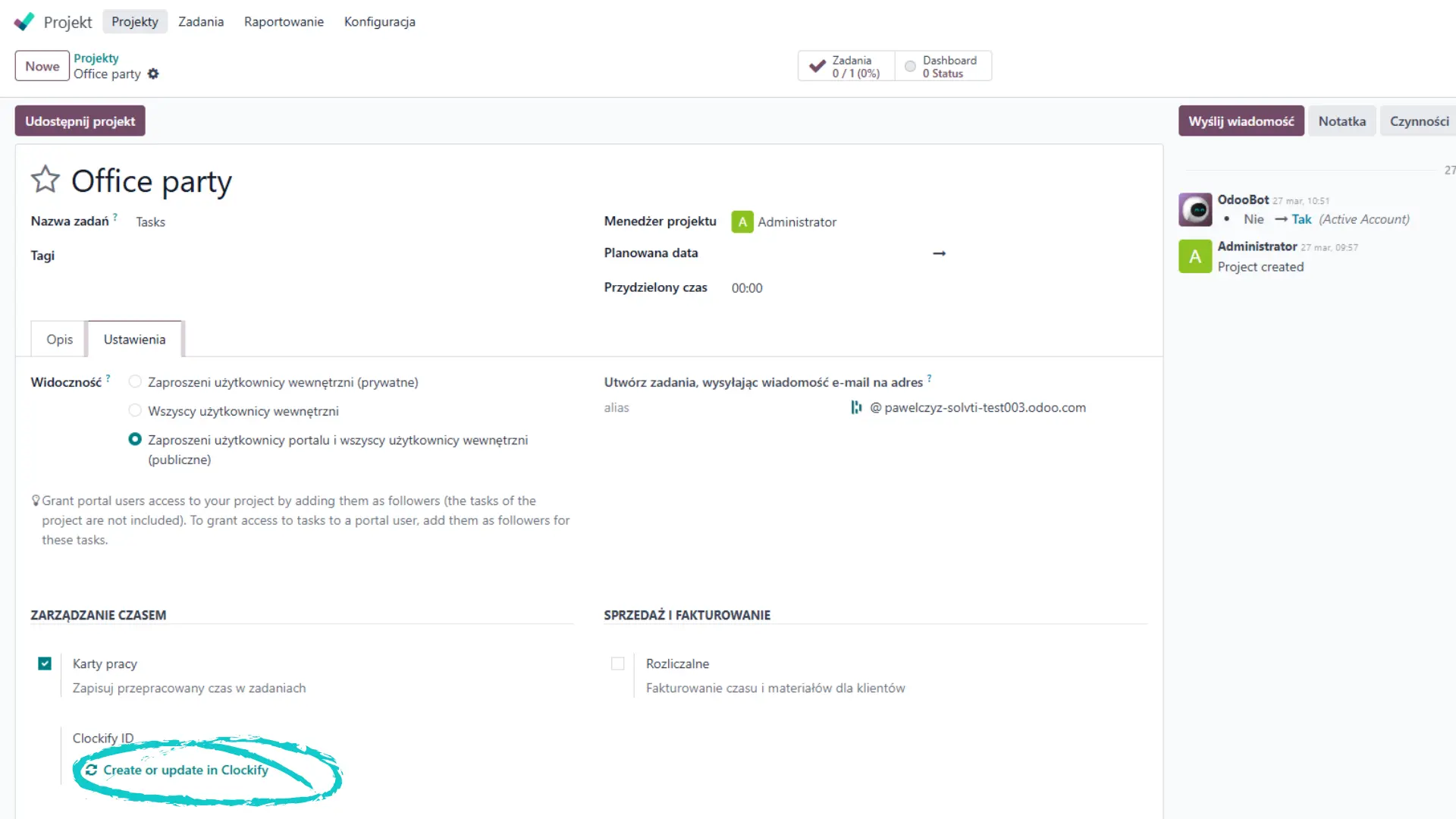
Automatically send projects and tasks from Odoo to Clockify by clicking update in Clockify.
Your Dynamic Snippet will be displayed here...
This message is displayed because youy did not provide both a filter and a template to use.