
Module highlights
Access rights verification
Check menus, records, and actions visible for a specific user
Faster issue troubleshooting
Reproduce reported problems and validate user access more efficiently
User switching
Log in as another user without needing their password
Efficient support and diagnostics
Analyze user-reported issues faster and test system behavior more accurately
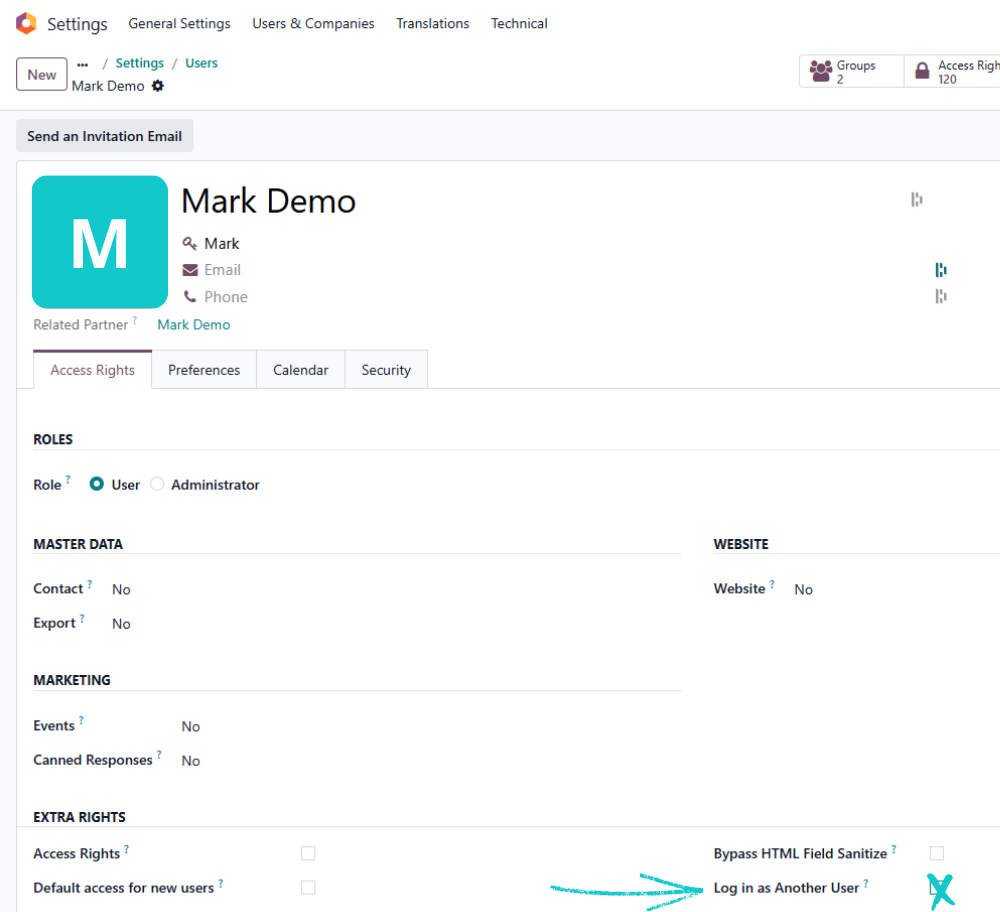
One checkbox
The “Log in as Another User” option can be enabled in the user’s Access Rights settings.
A practical tool for administrators and consultants
An administrator grants the selected user the “Log in as Another User” permission. Once activated, the user can switch to other user accounts according to the assigned access rights and view the system exactly from their perspective.
This is especially useful in test environments, where permissions, visibility, and system behavior can be verified safely before changes are introduced to production.